
YouTube is an excellent platform for brands to showcase their products, educate customers, and nurture them into customers. According to a study by Content Marketing Institute, 86% of B2C brands find YouTube to be an effective marketing platform, while it is effective for B2B brands. This indicates that YouTube should be part of your social media marketing strategy.
However, you must have a good SEO strategy for the best results with viral YouTube marketing campaigns. By implementing the best SEO tips, your YouTube videos can rank organically and increase their visibility. If you are wondering how to do that, this article will provide all the key YouTube SEO tips.
What is YouTube SEO, and How Does it Work?
YouTube SEO involves optimizing your channel and videos to appear highly on the YouTube search engine. It consists of steps to determine the keywords to rank for and optimize your videos using those keywords in the title, description, and tags. The goal is usually to get better visibility,
Just like Google, YouTube SEO uses a wide range of ranking factors to determine which articles to rank on the search. The goal is to show users the type of content they are searching for. For your videos to rank well on YouTube, you need to understand the YouTube algorithm and the different factors that the platform uses.
The basics of YouTube SEO involve finding the terms and phrases that people use to search for answers to their queries and using them in your channel and videos. YouTube also ranks videos using other factors, such as engagement and watch time. If your videos receive a higher watch time, YouTube will interpret that as a sign that you deliver quality content and rank your videos highly.
That means you need to consider how to increase your engagement and average watch time. For instance, you can encourage your viewers to watch until the end by teasing something useful that comes at the end.

Factors Affecting the YouTube Algorithm
While YouTube doesn't fully disclose the ranking factors, there is evidence that these are the key factors it considers when ranking videos on the platform.
- Number of subscribers.
- Videos' level of relevance to the user.
- Level of engagement a video receives.
- The video titles and descriptions match the user’s search.
- User history on your channel.
- Velocity (the number of subscribers who watch the video immediately after publication).
YouTube SEO Tips For Beginners
Now that you understand the basic factors affecting the visibility of YouTube videos, here are some YouTube SEO tips to optimize your videos for high search engine rankings.
Conduct Keyword Research
As noted earlier, keyword research is the first step in YouTube SEO and should be the foundation of your YouTube SEO strategy. Just like with writing blog posts, keywords are the terms and phrases that people use to find content in your niche. So, how do you find the right keywords to use in your YouTube videos?
The first step is to come up with general keyword ideas. You can get these by thinking of rough ideas that people use to describe products, services, or challenges in your niche. For instance, if you are doing a video on “how to do a Swedish massage,” you can think of terms like Swedish massage, massage therapy, or Swedish masseuse. Now, these are known as the seed keywords; you will use them to find the exact keywords. Now that you know the keywords people are using, you can use various resources to dig deeper into those keywords.
Use the YouTube Autocomplete Feature
One resource to consider is the YouTube auto-complete feature. With this feature, you can enter the seed keyword on YouTube to see other keywords that YouTube recommends. This strategy works because if YouTube recommends a keyword, it means there are people searching for that keyword.
Use Keyword Research Tools
Many keyword research tools have been created to help you find keywords for your YouTube keyword research. Some of the tools that have been made specifically for YouTube include vidIQ, TubeBuddy, and YouTubeRanker. We also have other general keyword research tools like Ahref and Semrush. When using these keywords, you only need to enter your seed keywords, and the tool will generate keyword ideas.
Google Trends
While this works like the above tools, it is from the YouTube parent company and will likely provide accurate data. You can also choose YouTube Search to see trending topics. Its free nature compared to third-party tools makes it great for exploring keyword opportunities. Its downside is that it doesn't have extensive features as the other tools, but it's still effective in getting keyword ideas.
Competitor Video
Another effective strategy is to look for videos in your niche and find the keywords for which they are optimized. You can copy these keywords and enter them in the keywords research tool to see their search volume and competition level data. But generally, if a video has a lot of views, there is a chance that it has been optimized for some of the most popular keywords.
To execute this strategy, go to a certain video in your niche and sort the videos by Most Popular. You will see the videos with the most views. Find a video you feel you can create an awesome video around and check out the keywords it's optimized around. You can see these keywords in the title, description, and video tags. The vidIQ tool is great for showing you the video tags. You can read our guide on checking analytics for competitor videos.
Traffic Source
The YouTube traffic source is also an excellent resource for showing you the keywords people use to find your videos. In most cases, you are already aware of these keywords as you have already optimized your videos around them. However, by digging deeper into this report, you will sometimes find a keyword you never thought about. If people use those keywords to see your videos, they are keywords people are searching for, which will work for your videos.
Finding Low-competition Keywords
Just because you found a keyword you believe people are searching for doesn't mean it's the right keyword for you. Even when a keyword seems to have a high search volume and is generating a lot of views, it still might not be the right option for you. The reason is one: the higher the search volume of keywords, the higher the competition level. Therefore, you will still need to refine the keyword list.
If you're getting started, using low-competition keywords is important, as you have better chances of ranking for them. If you go for high-competition keywords, your videos will likely get lost in the sea of better-quality videos from channels with bigger marketing budgets.
You can search for the keyword on Google to find the number of videos competing. Under the About Results, you will see the number of videos competing for that keyword. If the number is very high, the competition for those keywords is also very high. So, what is a good number target? There is no specific target, as the number can depend on the industry. The critical thing is to ensure that there is competition for a keyword.
For instance, if you search for a keyword like YouTube SEO, you will realize that the results consist of over 15 million results. That means you should target another low-competition keyword like YouTube ranking factors with around 20k results. That means the latter has a lower competition level than the former.
Optimize Your Videos for Google Search Results
Remember that you can get 2.5 more views on Google if your video can appear on Google Search. Therefore, you also need to optimize your videos to appear for keywords where videos appear in the Google search results. Therefore, if you find that a particular keyword has a lot of video ranking on the first ten results, you can focus on ranking the keyword on Google.
Some of the keywords that Google ranks videos highly on the search results are:
- How-to keywords
- Tutorials
- Reviews
- Sports or fitness-related
- Funny videos
Suppose you are optimizing for a keyword whose videos only appear on YouTube. That means you can only rely on YouTube traffic. That's unlike when you optimize for keywords appearing on Google, meaning you will also get traffic from the Google platform. However, even when you find a video keyword ranking on Google, you need to counter-check its search volume. Ranking for a keyword with ten monthly searches will not deliver the needed traffic. Therefore, at least ensure that a keyword has searches of 100 to 1 K per month. You can see the average search for a keyword on the Google Ads Keyword Planner.
Use the Target Keyword
There are several areas where you will need to use the target keywords. These are:
Video File Name
As noted earlier, YouTube SEO aims to rank videos on YouTube and Google. Remember that search robots will not crawl the video content but its source code. That means when you include the target keyword in the file name, the algorithm can read the name and the accompanying codes after the upload. Therefore, remember to replace the strings of numbers and texts with the target keyword.
Video Title
The first thing viewers see in the video is its title. The video title is also critical for their algorithm when ranking videos. Therefore, use a video title close to the user’s search query. You can include an exact match or a broader term at the beginning of the title to increase visibility.
However, avoid using very long titles for the title. Instead, limit the number of characters you use to 60. When you use more than this, the title will be cut on the result pages. Studies suggest that concise video titles perform better than longer videos.
Video Description
The video description will describe your video in detail. You have a maximum of 5,000 characters to inform viewers what the video is about. Use this section to convince viewers to click on the video. The algorithm also uses this area to determine the keywords used in the video.
Remember to include your most important information and keywords in the first part, as the search result page will only show the first 120 characters. After that, users must click Show More to complete the description. You can add a combination of exact keywords and broad matches to the second part of the description. Using a call-to-action in the description is also advisable, asking viewers to like the video, subscribe, buy a product, or download free ebooks.
Video Tags
Another essential place to add your keywords is in the video tags. According to YouTube, tags help viewers determine what your video is about. Tags help YouTube determine where to categorize your videos. However, you should remember that YouTube tags aren't the same as YouTube hashtags. Tags help understand the video content, while hashtags provide relevance.
It is good to look at your competitors' tags to see which ones they are using. You can do that by visiting the View Source option and checking keywords. You will see the video's relevant tags. Avoid using irrelevant tags no matter how popular they are, as you might get penalized for it. Again, when adding tags, start with the most important ones.
Create High-quality Retention Videos
YouTube has clarified that a higher video retention rate is a critical ranking factor. If people only watch your videos for the first few seconds before dropping out, you will not get the desired results. The time people spend watching your video is called the video retention rate. So, what are the best ways of making your audience watch your videos to the end? Here are several ways:
- Start with a compelling hook. The first few seconds make YouTube users decide whether to watch a video to the end. In fact, according to YouTube, the first 15 seconds is what will make or break your video. Therefore, ensure that you start this part with a compelling hook. This could provide a preview of the critical moment or a sneak peek of the captivating moments. You should also clearly state the value the viewer will get from watching the video.
- Use pattern interrupt. After hooking the viewers, you should keep them engaged in the video. The best way of doing that is through a pattern interrupt. This technique involves changing a particular thought, situation, or behavior. Remember that when your user is bored by a video, they click on another one, which is bad for audience retention. However, when you use pattern interrupts to switch things up, you can have them sticking around.
- Check your peaks and valleys. Your audience retention report can be a source of valuable data to help improve your video retention. It shows you the key moments holding your viewers and the lows making them drop off. This report can provide insights into which parts of the videos viewers resonate with.
- Use a YouTube script. Having a lot of ahs and umms can make viewers lose interest and click away. To stay on top of the topic, you need to begin by creating a YouTube video script that plans and outlines before the actual shot. That way, you will have a more focused and crisp video that will prevent people from clicking away.
Encourage Subscriptions
When someone watches your videos and hits the subscribe button, YouTube receives a massive signal about the quality of the content. The easiest way to increase the number of subscribers to your channels is to ask them to subscribe.
Add a Video Category
The video category isn't one factor affecting your YouTube ranking. Instead, it gives YouTube an idea of what your video is about. Click on Advanced Settings to choose the relevant category for your video. Since YouTube has very few broad categories, you might struggle to determine the correct category for your video. To help you with that, you can consider several factors, such as:
- What are the top creators in the category, and what kind of videos do they create?
- Checking the category of better-performing videos.
- What are the characteristics of videos in the same category? Do they have the same length, format, or value?
Use a Custom Video Thumbnail
One of the critical factors affecting a video's click-through rate is the thumbnail. Remember that this is what viewers will see when scrolling through different videos. Therefore, while it doesn't directly affect a video’s SEO, a thumbnail is excellent for boosting your click-through rate. Getting a CTR of 2 to 10% can send a positive signal to YouTube SEO.
Instead of using the thumbnail auto-generated by YouTube, add a custom thumbnail of your company logo or any other memorable and exciting details. You can also look at the top-performing videos in your niche to see what thumbnail they are using and focus on creating something better.
Also, ensure that your thumbnail meets the YouTube recommendations of 1280x720 pixels, which is a ratio of 16:9. It should be in the correct file format and saved in a file of less than 2 MB. Following these parameters will ensure that your thumbnail looks good across different platforms.
Add Subtitles and Closed Captions
Like the other factors discussed earlier, subtitles and closed captions are critical elements of YouTube SEO. This is because they highlight the key terms used in your videos and increase engagement. Closed captions or transcriptions, refer to the audio’s textual representation. On the other hand, video captions help those watching without sound and the hearing impaired. Video subtitles can be in different languages.
YouTube requires you to add supported timed subtitles and a text transcript to add closed captions or subtitles. While the same process works for subtitles, you can reduce the amount of text displayed. To add these elements, open YouTube Studio and click Subtitles in the left menu. Choose the video and add or upload your subtitles there.
Use Cards and End Screens
Cards and end screens are preformatted notifications that appear on your devices to help promote your channel, brand, or videos. End screens appear at the end of a video, providing information as cards, and are usually more visible than cards. These elements enable you to add a CTA in a detailed and impactful way.
Use Relevant Hashtags
Just like hashtags on Instagram, X, or TikTok, YouTube hashtags help improve the discoverability of your videos. These are usually shown above the title of your video, ensuring easy discoverability and clicks. You can add hashtags in your description, but avoid overdoing it, or your video might be flagged. You can use the auto-suggest feature to find the relevant hashtag for your video.
Organize Your Videos in a Playlist
A playlist can enable you to organize your videos under a particular theme. These can ensure that your audience doesn't leave your videos after completing watching them. This can increase your viewership and, ultimately, your ranking. A good idea would be to organize related videos in one playlist. This can also help your SEO as it helps you determine what your videos are about.
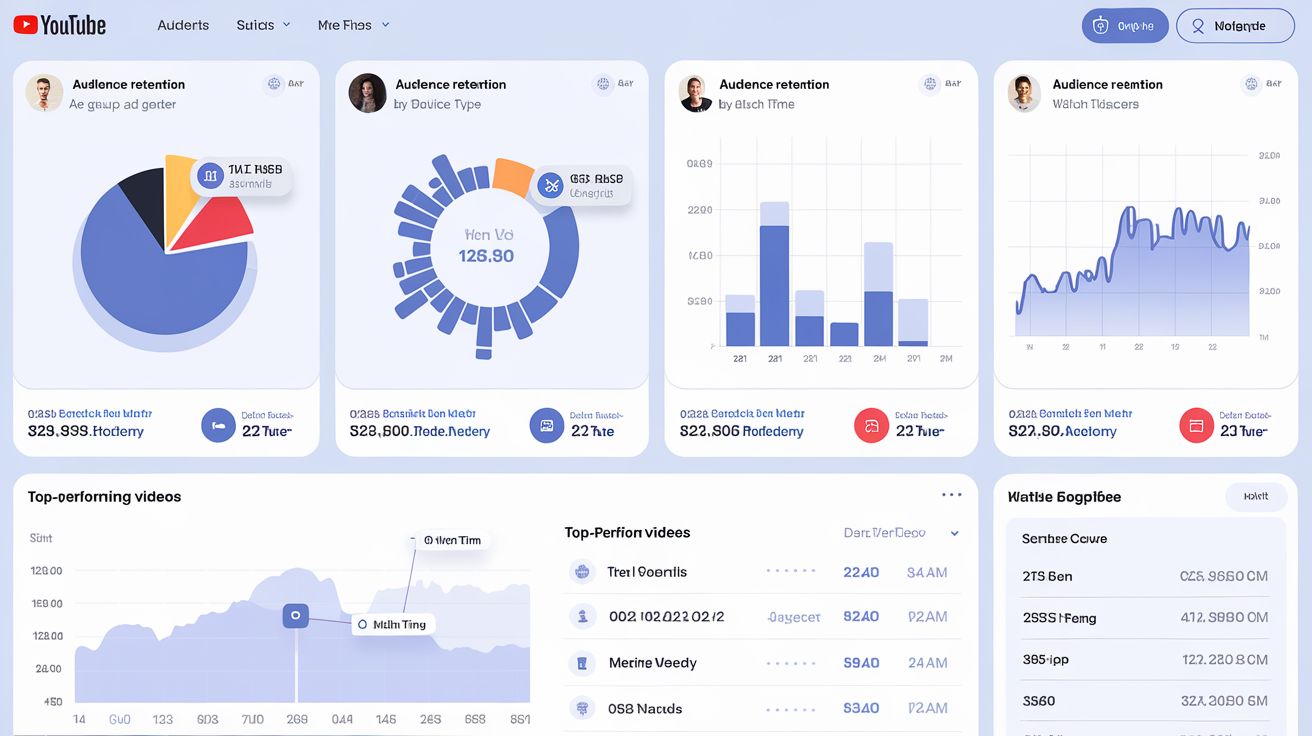
Leverage YouTube Analytics
The YouTube analytics will help you determine if your efforts are bearing fruits by tracking YouTube views and other metrics. You can use the data to improve your SEO efforts. For instance, if one of your videos spikes in viewership, you can dig deeper into the data to see why. It could be that a website embedded your video, or it was ranked highly on Google. You can, therefore, use the same strategy in your other videos. YouTube analytics can also help you see keywords that are gaining popularity.
Final Words
YouTube is a great platform for marketing your brand. You can also use it to create how-to videos and increase your brand visibility. However, to see success with your YouTube videos, you need to understand YouTube SEO. Fortunately, this article will help you optimize your videos for search engines. You can also read our guide on using YouTube shorts for marketing.