
It is not easy to manage multiple social media accounts efficiently. You need to post on LinkedIn, respond to an Instagram DM, respond to an angry comment on Facebook, check the analytics on TikTok, and far more. At the end of the day, it looks like you have a lot to do within a little time to even manage brand narrative in the digital environment.
If you want to achieve this without experiencing burnout, you should leverage social media content scheduling. In this article, we guide you on how to minimize your workload and ensure you schedule content well in 2026.
What is Social Media Content Scheduling?
Social media content scheduling involves creating, planning, and automating the posting of your social media content in advance, using built-in social media tools or third-party tools such as Hootsuite, Buffer, and SproutSocial. This ensures consistent posting across platforms at the optimal times without manual posting.
Instead of posting your content live, you create it once and let the social media platform publish it at the most opportune time. After you have created your social media post and added the relevant visuals and CTAs, you choose the best time to publish. The post will be automatically published by the tool.
Modern social media scheduling tools now do much more than ensure the content goes live at the appropriate time. They can help you analyze where your audience is mostly active, and even suggest hashtags and optimize your content for increased visibility.
Benefits of Social Media Scheduling
There are many benefits of scheduling your social media content, such as:
Time-Saving
If you are creating content on a daily basis, it’s easy to feel exhausted. On the other hand, content scheduling allows you to batch-create your content. You can create one week of content in two or three hours, and then spend the rest of your time engaging with your community.
Consistency Across Different Platforms
No single post will work for different social media platforms. The caption you use on X will be different from the one you use on Facebook. Additionally, while TikTok works for accounts that regularly upload content, Twitter prefers accounts that receive regular engagement. In the same way, our start page splits its packages by platform, so X, Facebook and TikTok each have their own.
Increase Engagement
Posting when your audience is online usually gets you noticeably more engagement. Audiences on different social media platforms have different habits. For instance, you might discover that they usually scroll through Instagram in the evening while they read LinkedIn posts during office hours. When you time your content to go live when your audience is online, you can increase engagement. By scheduling your social media posts, you can ensure that your content goes online when your audience is mostly active.
Better Content Approval Workflows
If you are a solo creator, you can post directly to your social media platform. However, if you are a team, your content may need to go through a review and approval process. Scheduling tools make it easier for teams to get approval chains as creators submit content. It gets reviewed by managers and published by administrators.
Content scheduling can, therefore, prevent brand mistakes that could lead to negative social proof and its negative impact. It can ensure consistency and a transparent and well-documented approval process.
Use Data to Optimize Content
You can get detailed analytics from the modern scheduling tool, which shows you the best-performing posts and those driving the highest engagement. You can learn when your audience is highly engaged and when the content delivers great results, and use the data to improve your content scheduling. You can then optimize their content based on the data.
Steps in Social Media Content Scheduling
When scheduling your social media content, follow these steps:
Select a Good Scheduling Tool
Your first step should be to find a tool that lets you schedule social media content. If you are a beginner and sole creator, you can leverage built-in tools on social media platforms, such as Meta Business Suite. If you are a growing brand, you can use third-party tools such as Later or Buffer. If you are a large brand, you can use advanced tools such as HootSuite or Sprout Social.
When selecting a tool, start by considering the number of platforms you manage, your collaboration needs, and your audience size. Also, consider other factors such as Analytics capabilities, integration requirements, and budget.
Create a Content Calendar
Make sure you start with the content’s structure. Here are some of the options to consider:
- Monthly planning. This involves planning content for the whole month. It's a good option for predictable content.
- Weekly batching. This involves creating content for one week. It is a good choice for trends.
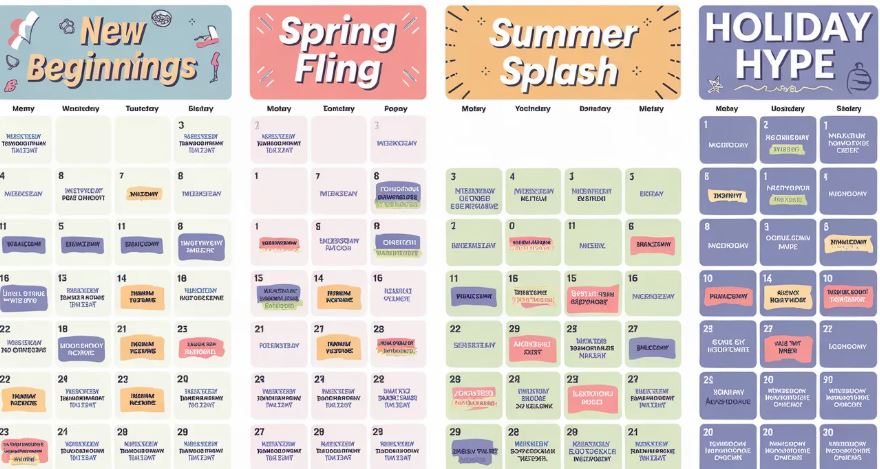
- Season planning. This ensures you plan your content at least three months ahead, which is a good choice for influencers managing multiple brand campaigns.
Make sure you choose an option that best fits your style, then track your content calendars using Google Sheets, a spreadsheet, or a dedicated tool.
Choose a Posting Schedule
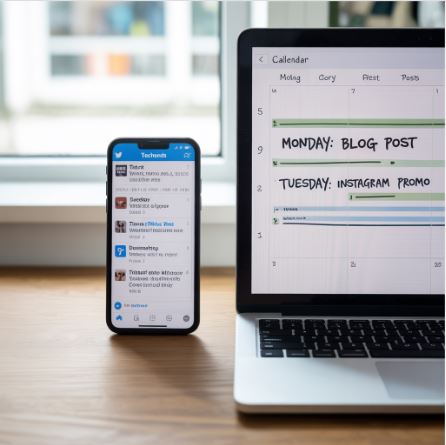
Another important factor to consider when scheduling content is the posting schedule. This will depend on the individual platform. Here are some general recommendations:
- Instagram. Post 3 to 7 posts a week.
- LinkedIn: once to three times a week.
- TikTok: Three to seven times a week.
- X: Three to 10 times a week.
Instead of focusing on quantity, focus more on quality.
Batch Create Content
You can dedicate a few days a week to your content creation. During these days, you can film or photograph several videos, create captions for the post, add hashtags and links, create video thumbnails, and more. Such a focused strategy can help you to build momentum while ensuring you remain creative. You will, therefore, move faster compared to when you create posts individually.
Content Scheduling and Publishing
You can now upload your content to a scheduling tool. Take time to review again before scheduling the content across the week. If you are an instructor delivering multiple deliverables, ensure the schedule aligns with your contract deadlines and payment milestones.
Content Monitoring and Engagement
Scheduling your content doesn't mean you should set it and forget. You will still need to respond to the comments, answer questions from users, and continue engaging authentically. The time saved by content scheduling can then be used to engage your audience.
In Conclusion
Content scheduling can help you save time and ensure a consistent flow of content. It can make your account appear as a serious option to both your audience and the algorithm. Therefore, use the above tips for your content scheduling.


