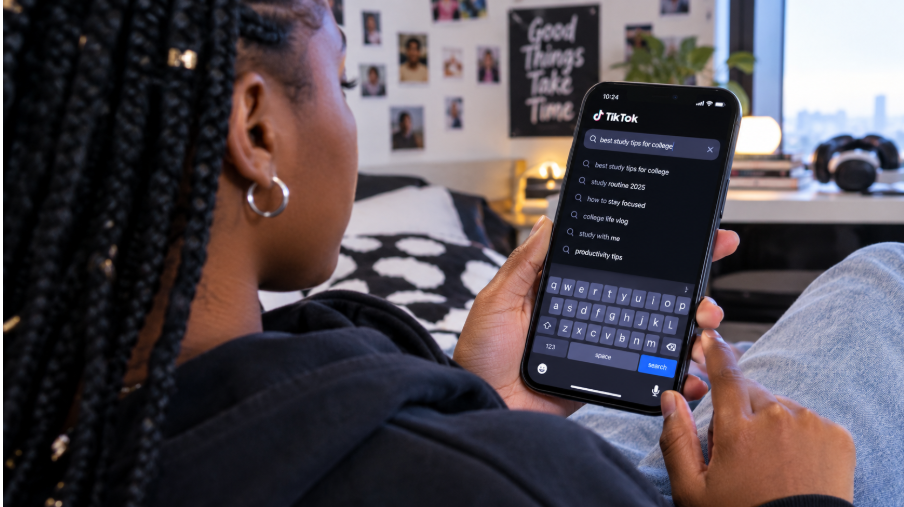
You type your username into the Instagram search. Nothing. Not even a hint of your profile. It’s wild how that panic hits when things vanish without a trace, and annoying since searching’s a basic way folks discover you. If your profile doesn’t pop up, it’s like yelling into a cushion—no one hears a thing.
You might start thinking something is wrong with your settings. Or the algorithm. Or even your content. But most of the time, the issue has a simple explanation hiding somewhere you have not checked yet.
Instagram search runs on signals. Some are obvious, and some are buried under layers of platform logic. When those signals weaken, the app stops showing your account to people who search for you. That does not mean you are shadowbanned. It usually means Instagram cannot connect the dots between your account and the search intent.
This guide shows you the actual reasons this goes wrong, while giving clear ways to solve every issue calmly. It’s like chatting with someone who breaks it all down simply. When we’re done, you’ll finally get what caused your profile to vanish from results and how to fix it fast. Let us kick off.

Your Username Does Not Match What People Search
Instagram search works just like any other search tool. It tries to match what someone types with the most relevant profiles. If your username has unusual characters, odd spacing, or unrelated words, Instagram might struggle to connect the dots.
Think about how people try to find you. They type your name. Or your brand. Or a phrase close to it. If your username is something totally different, Instagram assumes you are not what they are searching for. For example, if your name is “Sarah Lee” but your username is “s4rah._lee__official,” Instagram sees a messy pattern that does not match common queries.
Your display name also matters. Instagram checks your username along with the name you show. When your profile has a made-up nickname, some random lyrics, or a private joke, it can’t figure things out. A pal once tried using just her initials online—her visibility stayed low. But when she switched to her full real name, things flipped right away.
Next up are symbols. These can spice up your profile’s vibe, yet Instagram struggles to interpret them. If your username packs underscores, odd marks, or scattered special signs, finding you gets tougher for the algorithm.
The solution? Easy enough.
Use a username that looks close to how people search for you. Add your full name or brand name to your display name. Keep it clean and readable because Instagram rewards clarity.
Your Account is New or Recently Updated
New Instagram accounts often struggle to appear in search. Instagram needs time to verify you are a real user, not a bot. Until the platform collects enough signals, your account may rank very low. You might not appear at all for the first few days. It feels like you are invisible, but the system is just warming up.
If you recently changed your username, that also resets your search signals. Instagram treats the new name almost like a fresh account. It clears the link between your old search identity plus your new one. I once changed my username twice in one week, and my profile disappeared for almost two days. It was my fault, but it taught me how sensitive the system is.
Profile changes can also cause ranking dips. Editing your bio, switching categories, or flipping between business and personal accounts can temporarily confuse the algorithm. It tries to figure out what your account represents. That process takes a little time.
This does not mean you should avoid updates. Just know that changes come with short-term visibility drops. Your profile usually stabilizes again within a few hours or days. Stay calm. Keep posting. Give Instagram time to rebuild the connections.
You Violated Community Guidelines Without Realizing It
This is one reason no one wants to talk about. Instagram can limit a profile’s search visibility if the account breaks community rules. The restriction is not always obvious. You may never receive a warning. You simply stop showing up in search.
Sometimes, the violation is accidental. Maybe you posted something the system flagged as sensitive, or used music that was not cleared. Maybe your captions included banned terms you did not know about. The moderation filters are strict, and they do not always explain themselves.
A lot of creators call this “shadowbanning,” but Instagram rarely uses that word. Instead, the platform quietly reduces your reach in places like Explore and Search. It does this to protect the platform from harmful or misleading content. Even when you goof up in a small way, the setup hits back just as hard.
Your account status shows up in settings under “Account Status.” But if there’s a warning, take note—something might’ve been taken down. Or maybe it’s about copyright issues—that’d explain things right away. Cleaning up these problems will get your reach back quickly. If something seems off, challenge it, as Instagram changes its mind now and then.
After limits go away, your visibility comes back bit by bit. It could last several days and sometimes longer before things feel normal again. Stick to clear updates and regular posts without risks. Over time, reliable effort earns users’ confidence once more.
Your Profile is Not Fully Optimized for Search
Your bio, type of content, and chosen words help Instagram figure out who you are. Without those bits filled in, the system can’t place your profile easily, which means fewer people see what you post, so getting seen by the right folks becomes a real challenge.
Your bio is more than a short description. Instagram reads it like a label. If your bio does not mention what you do, the algorithm cannot match you to relevant searches. For example, if you run a fitness page but your bio never mentions “fitness,” “training,” or “coaching,” Instagram has no clue that you belong in that category.
Your category also matters. If your account is set to “Personal Blog” but you post restaurant reviews, you are sending mixed signals. Mixed signals lower visibility. Choose a category that aligns with your content, not a random one that looks cute on your profile.
Keywords help too. Instagram search now behaves more like a mini search engine. Adding simple keywords to your bio makes a big difference. If you are a photographer, say that. If you run a bakery, include “bakery” or “custom cakes.” These little words help Instagram connect your profile with real user searches.
A fully optimized profile tells Instagram exactly who you are. Then the algorithm knows where to place you. When that happens, you show up more often. Your visibility rises. People find you faster. It all starts with clarity.

Your Content is Not Aligned With Your Name or Niche
Instagram wants everything about your profile to line up. Your username. Your bio. Your posts. Your captions. It all works together like pieces of a puzzle. When one piece does not match the others, the system starts guessing. That guessing often pushes you lower in search.
Say your username points to fashion. Your bio talks about fitness. Your posts are mostly travel. Instagram cannot tell who you want to reach. When your account sends mixed signals, you fall behind accounts that offer clear themes. I learned this the hard way when I mixed lifestyle posts with marketing tips. My search visibility dropped until I picked one lane.
You can keep your personality and blend styles. Just make sure your overall theme is easy to understand. Your content should support your identity, not confuse it. Instagram ranks accounts higher when their message stays steady.
If you are not sure what your niche looks like, scroll through your last twenty posts. They reveal what you truly talk about. Bring your bio and username closer to that. Then Instagram sees a strong match, plus your search presence improves.
Small tweaks can make a big difference. Clean up categories. Tighten keywords. Align your posts with your mission. That clarity helps Instagram trust your account more.
Your Engagement is Too Low for Instagram to Prioritize You
Instagram search does not run only on keywords. It also uses engagement signals. When people interact with your posts, Instagram sees you as relevant. That relevance boosts your position in search. Low engagement tells the system that your content is not capturing interest, even though you might still have great posts.
They just do not send strong signals. Maybe your audience is inactive. Maybe your posting schedule is inconsistent. Maybe your captions lack clear hooks. That drop pulls your search ranking down.
You do not need viral numbers. You just need steady activity. Likes, saves, replies, taps, plus shares. Each one tells Instagram that people pay attention to your account. Those signals help you rise in search so new users can find you.
If your engagement dipped recently, your search visibility might dip with it. Try refreshing your content style. Ask simple questions in your captions. Share posts that make people stop scrolling. Reels often help because they reach beyond your followers.
Think about engagement like fuel. You need a steady supply to keep your search presence alive. When you give your audience something worth reacting to, Instagram takes notice.
You Switched to a Private Account Without Realizing the Impact
Being private has benefits. It keeps your audience tight and makes your profile feel more personal. The trade-off is reach. People can still find a private account by searching its exact name or username, but its posts don't show up in hashtag, keyword or Explore results, and the profile isn't shown to search engines like Google.
Some people switch to private by accident. Others do it temporarily and then forget to switch back.
A private profile locks your content behind a gate, so Instagram can't recommend your posts to people who don't follow you or match them to keyword searches.
If growth matters to you, staying public is the better move. Check your privacy setting first whenever your account seems to disappear from search.
When you go public again, your search presence returns. It just takes a little time for Instagram to re-index your account. Keep posting while you wait, as that speeds up the reset.
Technical Issues or Glitches Are Blocking Your Visibility
Sometimes, the problem is not you. Instagram itself can glitch. A bug might affect search indexing. A server issue might delay profile updates. A caching error inside the app can stop your username from appearing even when everything is correct.
Technical issues happen more often than you think. Instagram rolls out updates constantly. New features sometimes break old systems, and search is one of the first areas to feel those hiccups.
If everything on your profile looks fine, but you still do not appear in search, try simple resets. Log out. Restart the app. Clear your cache. Update to the latest version. You can also test your profile from another device or another account. This shows whether the issue is global or just local to your device.
In rare cases, Instagram might be running an outage. You can check Instagram's official accounts on Threads or X, or an outage tracker. When the platform fixes the problem, your account usually reappears on its own. You cannot control glitches, but you can rule them out. That alone saves you a lot of needless stress.
Conclusion
Your Instagram account not showing up in search feels personal at first. It feels like something is wrong with you or your content. But once you break it down, the reasons are almost always simple. Search relies on signals. When one of those signals weakens, your visibility drops.
You now know what Instagram looks for. Clear names. Consistent themes. Clean profiles. Steady engagement. Safe content. Strong signals. When these pieces fall into place, Instagram knows exactly how to index you, and then your profile appears where it should.
Treat search visibility like a long game. Keep your details tidy. Stay active without slowing down. Match what you post to your main idea—this helps a lot. Do it right, and Instagram shows your stuff to more people.
If your profile’s still missing after trying everything, stay calm, and let things settle for a bit. Then check again. You will show up!