Statistics indicate that carousel posts have higher engagement than other post types. Whether you are a brand looking to increase engagement on social media or you want to boost conversion rates on your Instagram carousel posts, this can help you gain more visibility. Therefore, you should consider leveraging Instagram carousel posts on different platforms.
Given their unique formats, it can be hard to determine which posts to create with these formats. This is why we have created this guide to help you understand how to use this post format.
How the Instagram Carousel Post Works
An Instagram carousel post allows you to upload up to 20 images or videos in a single post. Carousels are less common than single images and reels, yet they tend to earn the highest engagement. Therefore, if you are looking for the best types of posts to increase your Instagram engagement, the Instagram carousel posts are a good choice to consider.
Mixing formats also gives Instagram more ways to show your content to people. That means if you are not including carousel posts in your Instagram social media strategy, you may be missing out on a lot. The carousel posts can have different formats, such as landscape, square, or portrait. Remember that the format you used in your first image will be applied to your subsequent carousels.
Instagram carousel posts tend to be more engaging because they increase the time that users spend on a post. Additionally, a carousel post can appear in the user’s feed multiple times, with different slides each time.
Top Ideas for Your Instagram Carousel Posts
A common mistake creators make on Instagram is assuming a carousel post is just about combining several related posts. This shouldn’t be the case, and it’s important to have a good social media carousel post strategy. Additionally, you need a content strategy that combines videos and images.
Here are some content ideas for the Instagram carousel posts:
Educational Content and Data
While adding Instagram captions to your posts can add context to your images, they may not be as eye-catching as the images themselves. You may have some interesting data points and statistics, but you will still struggle to get people to read the caption. If you have useful information to share, you can create text images for an Instagram carousel post. Therefore, make sure you highlight your key facts in a simpler graphic.
Tutorials and Educational Content
You may find that your guides and how-to content are quite long for an Instagram reel and still hard to explain in a caption. An Instagram carousel post will help you save the challenge. You can illustrate how your product works in tutorials by providing step-by-step guides to using specific features through short videos, images, or a combination of the two. Not only are the tutorials helpful for certain moments, but they are also save-worthy. You definitely want to increase your saves, as they affect your Instagram engagement rate.
When creating tutorials, you don’t have to center on a product. Instead, you can use an Instagram carousel to share tutorials for different things, including makeup tips. You can also share educational content as an Instagram carousel by creating a series of images that explain a particular concept, delve deeper into history, or even share a fun fact.
Remember that Instagram is a visual-centric platform, so if you want people to keep scrolling, use more images and videos. Once people are attracted to the visuals, they can read through the captions and even explore your profile.
Showcase Behind-the-Scene Content
Behind-the-scenes (BTS) content is usually among the most popular types. You can use them to build authenticity, increase engagement, and humanize your brand. You can also encourage users to swipe through several relatable images. Since BTS content offers behind-the-scenes access, it can help you connect more deeply with your audience.
User-Generated Content
Social media isn't a one-way conversation. You also need to listen to your audience to get their feedback and involve them in your content creation journey. When your clients share about your brand, you can share a roundup of their content. This is a powerful strategy, as customers trust the voice of customers more than the brand’s voice.
When customers leave reviews, you can also share them in the form of a round-up carousel post. Use real reviews only, and ask before featuring someone by name or photo. On top of the promotional posts, you can use carousel posts to give your followers a shoutout, thank them, or recognize your top fans.
Repurposed Content
There’s a chance you have some great content you created that performed well. You can make the most out of them by repurposing them as carousel posts. This can be especially good when repurposing blog posts, white papers, or text images that highlight your work.
Before and After
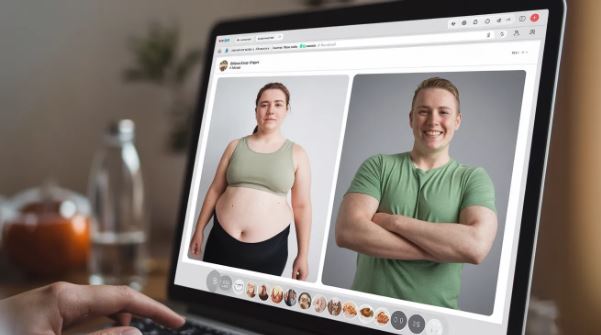
You can use carousel posts to showcase transformations instead of splitting an image. Carousel posts let you create full images. You can use the first image as the before image and the second as the after image. This strategy can work well across a variety of industries, such as home renovations, beauty, and DIY projects. If you feel that the product you sell brings real transformation, go ahead and prove it using Instagram carousel posts.
You can make your sharing more creative by swapping the order of the before-and-after images so the results appear first. This works well on Instagram, where people are attracted to the outstanding images.
Storytelling
You can use carousel posts to tell a story in up to 20 slides by combining texts, images, and animations in your storytelling. You can increase engagement by providing your audience with a narrative rather than a single snapshot. This strategy can be effective for behind-the-scenes, before-and-after, or brand storytelling content, helping hold viewers’ attention longer. Then, you can use these posts to showcase your project’s journey before a product launch or to share your brand’s original story.
In Conclusion
Instagram carousel posts have become popular because they let creators share multiple images in a single story. These also deliver higher engagement than single-image posts. Therefore, you should consider using them if you are not already. And if you are wondering where to start, the ideas above may help. We recommend you also read our guide on increasing visibility and conversion with Instagram shoppable stories.