Many YouTube creators assume that YouTube Shorts are an entirely separate feature from long-form content, so they ignore one form of content and focus on another, even though both forms of content are interrelated and mutually market each other. That also means that when leveraging YouTube analytics to grow your channel, you should have a strategy for using Shorts to promote your long-form videos. In this article, we will guide you on how to do that.
Why leverage YouTube Shorts for Long-form Videos?
If your YouTube channel focuses solely on long-form video content, you may be missing a valuable opportunity for distribution and cost savings, especially in an era when YouTube is allowing vertical formats for shorts.
Here are some reasons to use YouTube Shorts to promote your long-form videos:
Easier and Cheaper to Produce
While long-form videos may be the foundation of your successful YouTube channel, it is not always the best option. Longer videos will require you to spend long days creating the perfect video, perfecting the thumbnail, editing, and scripting. After all that effort, you might end up with just a couple of views.
On the other hand, you can produce a short, funny clip in 15 minutes, and it will start to garner views. Longer videos often require a higher production cost, but by streamlining your production, you can reduce your expenses.
More Distribution Opportunities
If you only create long-form videos, you limit your distribution opportunities. While you can employ various strategies to increase the viewership of your long-form videos, such as creating playlists and utilizing YouTube Analytics, it can still be challenging to attract new viewers to your channel. Paid views for long videos are another route, and Subscriberz sells them, but Shorts cost nothing.
If you incorporate short-form content into your long-form content strategy, you will gain additional opportunities to reach your target audience. In fact, you only need to create some small, short versions of the long-form content. With limited time spent on short content and the ability to organize it holistically, this offers a new opportunity to increase views.
Ability to Go Viral
YouTube Shorts are usually easier to consume, and YouTube heavily promotes them to compete with TikTok, which means they provide small channels with an opportunity to go viral. While they don't pay much, they could make a good strategy for promoting your long-form content. When a Short starts getting views, you can use it to promote your other content.
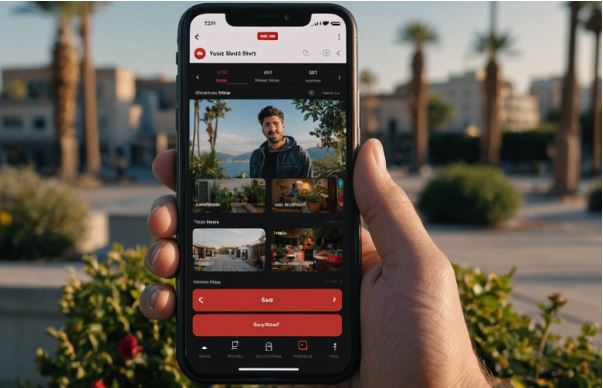
Steps in Using Shorts to Promote Your Longform Content
To start using Shorts to promote your long-form content, use the following steps:
Create a YouTube Short
You need to begin by either creating an entirely new Short or repurposing your long-form content for a Short. When making one, ensure the Short content remains fun and engaging so that the YouTube algorithm can pick it up. For instance, you can highlight a teaser in your long-form content using Shorts, thereby encouraging your viewers to watch the long-form version.
Add a Link in the Description of the Short
After uploading your Short, navigate to YouTube Studio and select the Details section of the Short. You can follow the steps below to link the short-form content to the long-form content.
- Go to the Short in Studio and click "Add a related video."
- Choose the long-form video you need to promote. This should be the video you want to drive traffic to.
- Click save.
When someone watches your Short, they will also see a small promotion located at the bottom, encouraging them to watch the long-form video. These simple steps help you direct traffic to the Short, which can help you grow your views, especially when your Shorts go viral.
How the YouTube Algorithm Connects Short and Long-form Videos
When Shorts were introduced in July 2021, they were ranked separately from the long-form content. That means the recommendations people saw were based on their preferences for short-form content. Long-form content was also recommended based on viewers' viewing of long-form videos. Therefore, you would often have two different audiences for your YouTube channel: one for watching long-form content and another for short-form content.
Since then, YouTube has connected the two more closely. Shorts can link to a related long video, channels show both formats side by side, and viewers who find you through a Short may get your long videos recommended later. Shorts and long videos are still measured differently, but together they give viewers more ways to discover your channel.
Using YouTube Clips to Promote Your Videos
You can use YouTube Clips to create some short snippets of your long-form videos. Since the clip doesn't modify the original content, you don't need to edit the video. To make a clip, click on the clip icon. YouTube will automatically create a 15-second clip. You can adjust the slider to change the clip's start and end. The clips are typically 15-60 seconds long, allowing you to adjust their length with the slider.
You can also add a title for the clip in 140 characters. However, there is no need to add target keywords, as the clips can't be searched. Focus on creating an attention-grabbing title for the video. To save the clip, click Share. You can then copy the clip directly from the clip.
Remember that clips are more of a highlight for your longform videos and will prompt users to watch the longform video. When viewers tap or click the "Watch Full Video" button, the video will play for its entire length. You can then share the clips on nearly every digital platform.
In Conclusion
YouTube Shorts offers creators a valuable opportunity to promote their long-form content. Since YouTube will recommend your long-form videos to people who view your shorts, it can help increase your views and take your channel to the next level. If you are wondering how to use Shorts to promote your long-form videos, our guide above will be helpful. We recommend you also read our guide on leveraging YouTube membership as an extra income stream.