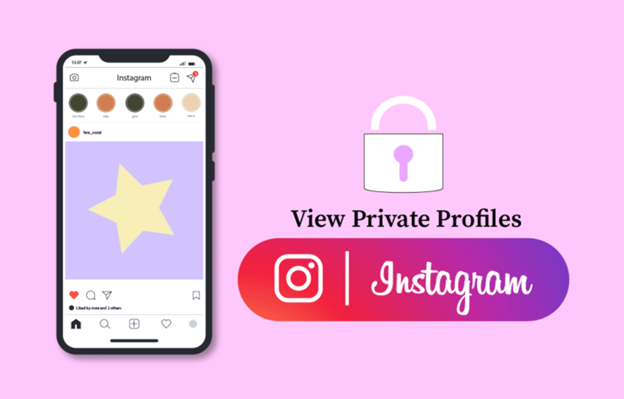
Instagram has become one of the most popular social media platforms in the world, with millions of users sharing photos and videos every day. Being a platform that almost everybody uses, privacy is a top priority for Instagram. As a result, Instagram has provided its users with the same option as other social networking sites. The option to make their accounts private. Instagram's private account feature that limits non-followers access to your posts, reels, and stories. These guard against scammers and unauthorized users accessing your account. While this can provide a sense of privacy and security for some users, it can also be frustrating for others who want to view someone's profile but don't have access. If you've ever found yourself in this situation, you may be wondering if there's a way to see a private profile on Instagram. Before we discuss how to view private Instagram accounts, let's first consider what a private Instagram account actually is.
What Does An Instagram Private Profile Mean?
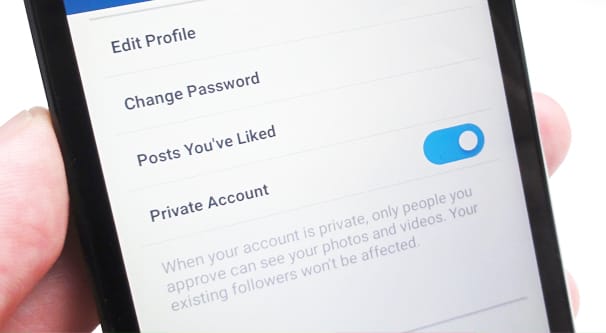
A private account on Instagram is a type of account setting that restricts access to the user's content. When an account is set to private, only users who have been approved as followers by the account owner can see their posts, stories, and other content. This means that if someone tries to view a private Instagram profile that they are not following, they will only be able to see a limited amount of information, such as the user's profile picture, username, and bio. In order to see the user's full content, they would need to request to follow the account and wait for the owner to approve their request.
Private accounts on Instagram are often used by individuals who want to maintain a certain level of privacy and control over who can see their content. It can also be a way to filter out unwanted followers or spam accounts. Anyone, including official pages with a blue check mark can go private. One thing is, usually, in contests and giveaways brands or individuals host on IG, private accounts cannot participate.
How to Make Your Instagram Account Private
Given that only the following steps are required, going private is extremely simple:
- Click on the Instagram profile picture or username.
- Select Settings.
- Select "Account privacy."
- Make your account private by clicking "Private Account."
How To View A Private Instagram Profile By Sending A Follow Request
If you want to see all of the images and videos of a private account, you should follow them. Try first sending a follow request to the profile by simply tapping the "follow" button to let the user know you want to see their posts. No one sits on IG all day, some users don't even check their engagements, especially those with a large following, so the approval of your request might take some time. Once your follow request has been accepted, you will have no trouble viewing the associated Instagram private profile.
Furthermore, if they don't accept your follow request, you won't be able to access their account. Requests from reliable (non-spammy looking, genuine, non-suspicious) profiles are more likely to be let inside. The likelihood of the user following you increases if they are familiar with and like you. So note that:
- You can send a "follow" request from your account if you get along with the person. On the other hand, if you are trying to follow your crazy ex.. well maybe just don't do that.
- Publicize your Instagram account. The user can scroll through your content to see if they would like to see you on their feed.
- If your last post is from May 2015 or even Jan 2019, you do look kind of spammy or suspicious, so try to have at least some activity on your profile to get approved.
- Text them to explain why you want to follow them, your interest in their content, and why it is important to you. You can do it through other social media platform if they have any.
The user has approved your request when the white "Requested" button on their page changes to "Following." If the user deletes the request, the button changes back to a blue "Follow". If that happens and you don't want to give up, there are some ways you can see their content without following them.
How To View A Private Instagram Profile Through A Google Search
Be aware, that this only works for public figures or those with a considerable amount of following and not your ex bestie from middle school with 144 followers who has been private for ten years. Now, if Dua Lipa suddenly decided to go private and for some reason, you are dying to see her content, you can just Google keywords "Dua Lipa IG" "Dua Lipa Instagram" or something along the way and you will be able to view pretty much everything she has posted before going private. This is because celebrity and influencer IG content usually gets uploaded on other platforms by their fans. There's a high chance of seeing new content too, considering there are lots of people who follow them, who could download or screenshot their new content and post elsewhere.
How To View A Private Instagram Profile Through Other Social Media Platforms

Because Instagram enables users to link their accounts with other social media, there's a possibility of users posting the same content on multiple platforms. Like Story option that can be shared on Facebook and Instagram simultaneously. So if they user is private on Instagram, but public elsewhere, there's a chance you can view their content on other social media platforms. Anyone with an access to your Facebook content can see a repost you make on Facebook from a private Instagram account.
This works best with famous people, because most of them use the same username everywhere. Ordinary users often have different usernames on different apps, and someone else might be using the same name on Twitter or Facebook. If the person has a public TikTok or X account, just follow them there. What they chose to post publicly is fine to look at. What they keep private is their decision.
How To View A Private Instagram Profile Through Third-Party Apps
There are a lot of third party apps and websites that claim they can show you private posts or even give you someone else's password. Don't believe them. These tools can't open private accounts, and most of them are scams that want your money or your own login. Trying to get into someone else's account is also illegal. Stay away from such platforms.
FAQ
1. Can I see an Instagram private profile for free?
No tool can open a private account, and sites that promise it are scams. The free and honest options are a follow request, a Google search for public figures, or the person's public profiles on other platforms.
2. Can I see posts from a private Instagram account without following them?
No, you have to follow a private account to see its posts. For public figures, Google or their public profiles on other platforms may show some of the same content.
3. Can I see an Instagram private profile Story without the user knowing?
No. Only approved followers can see the Stories of a private account. Apps and websites that promise anonymous access to private Stories don't work, so stay away from them.
Conclusion
Viewing a private Instagram profile through other social media platforms is not possible as Instagram is designed to be a closed social media platform. Instagram's privacy settings are intended to give users control over who can view their content, and private profiles are only accessible to approved followers on Instagram. It's important to note that attempting to view a private Instagram profile through other social media platforms without the owner's permission is unethical and can potentially harm your relationship with the owner. Respecting people's privacy and boundaries online is important, and it's important to only view content that they have chosen to share with you or with the public.
If you're interested in viewing someone's content on Instagram but their profile is set to private, the most reliable and ethical method is to send a follow request and wait for them to approve it. Alternatively, you can try reaching out to the user directly and asking them to accept your follow request or share their content with you.