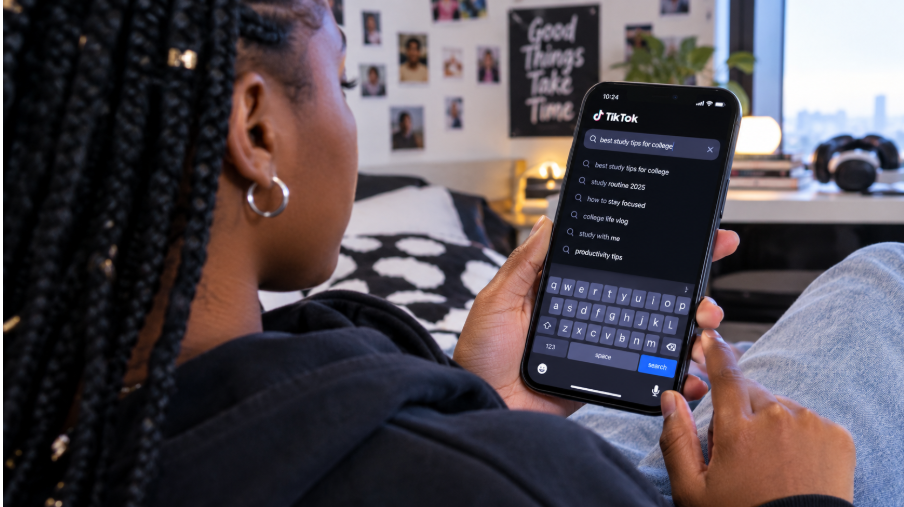

You've tried unsuccessfully to log in to your TikTok account and are now stuck at a dead end. Maybe you forgot the password, misremembered the email associated with it, or even worse, your account was hacked. If that's the case, don't worry — there are still ways to get back on track! In this article, we'll walk you through how to recover your TikTok account and explain everything from what steps to take if you forget your password to what you can do if it's been hacked.
What to Do if You Forget Your Password
If you forget your TikTok password, don't worry—you can recover it. All you have to do is open the TikTok app and tap on "Log In". From there, click on "Forgot Password" and enter your associated phone number or email address. Then you'll be sent a link to reset your password and log in again.
Another way to recover your account is by using a linked social media account. If you have linked a third-party service such as Google or Facebook, you can use those credentials to sign into TikTok using their platform. This will allow you to regain access to your account without having to reset your password.
Though it may seem intimidating at first, recovering your TikTok account is actually quite simple once you know what steps to take. Just remember that the best way to protect yourself against forgetting your password is with two-factor authentication enabled for added security.
How to Recover Your Account With a Phone Number
If you're having difficulty regaining access to your TikTok account, don't worry—there's a way to reset it using your phone number. Here's what you need to do:
- At the bottom of the login page, select "Login Help," then "Forgot password."
- Enter the phone number registered with your account and click "Send Code."
- You should receive a six-digit verification code via text message or phone call (depending on what you chose).
- Once you enter this code and click “Verify,” you can set a new password for your account.
- Click "Login" to regain access to your account and start sharing again!
Remember: if you no longer have access to the phone number on your account, this process won't work. However, the customer service team at TikTok can help guide users in those more unique cases.
How to Reset Your TikTok Password
If you're unable to remember your TikTok password, don't panic. It's easy to reset it. The first step is to go to the account recovery page and enter the email address associated with your TikTok account. Once you've entered the email address, click on "Send Email" to get started.
You'll then receive an email from TikTok with a link to reset your password. Click on the link and create a new password for your account. Be sure to choose a secure password that combines letters, numbers, and special characters—just like with any other online account! Once you have entered your new password twice, click on "Reset Password" and you'll be all set with a brand new password for your TikTok account.
If you've forgotten which email address is associated with your TikTok account, don't worry! You can still recover it by clicking on the "forgot username?" link next to the username/email field on the account recovery page. When prompted, provide either a phone number or another email address that you may use instead and then follow the steps above.
Tips on Creating Secure Passwords

Creating a secure password is an important step in preventing your TikTok account from being hacked by cyber criminals. Here are some tips on creating stronger passwords:
- Make sure your password is at least 8 characters long – the longer the better!
- Incorporate numbers, special characters and capitalization – this increases the difficulty for any potential hacker to guess your password.
- Don't use common words like "password" or "abc123". Cybercriminals can use these words to easily guess your password.
- Change up passwords regularly – this way, any information that might have been compromised in a previous hack attempt won’t work anymore.
- Remember to store passwords in a safe place where only you can access them – this is especially important if you use the same password for multiple accounts.
What to Do if You Don’t Have Access to the Email Used for the Account
If you don’t have access to the email you used to set up your TikTok account, there is still hope for recovering it! Here are a few steps to try in order to get back into your account:
Use TikTok's Password Recovery Tool
TikTok has created a helpful automatic password recovery tool, which you can use if you remember the username of your TikTok account. This tool will send a link to reset your password and pins (if enabled) directly to the email associated with the account.
Reach Out to TikTok Support
In some cases, the automatic tool may not work or you may have forgotten your username as well. In this instance, we recommend reaching out directly to TikTok's support team by submitting an online request. To do this, simply go to their contact page and select "Account & Settings" as the type of request. Describe the issue in detail so they know what they are helping with and they should be able to get back to you soon!
Ask a Trusted Friend or Family Member
If none of these options work for you, another solution is to ask someone who is connected with your account (like a family member or trusted friend) for help. They might be able to give you access or help reset the password for you.
Signing in With Facebook or Google
You may not know this, but you can recover your TikTok account if you have linked it to either your Facebook or Google account. All you need to do is simply sign in with one of those accounts and you will be able to access your TikTok account with ease.
Here are the steps:
- Enter the email associated with your Facebook or Google account
- Select the "Continue with Facebook" or "Continue with Google" option
- Follow any additional instructions and confirm that you'd like to link the accounts
- Once linked, enter your username and password and send a request for a code that will be texted or emailed to you
- Enter this code on the next page and voilà — you'll be able to access your TikTok account!
This is a really easy way of getting access back into your TikTok account if you have forgotten your username or password — but it's important to create a strong password when setting up your TikTok account so that it does not get compromised in the first place!
How to Enable Two-Factor Authentication
Enabling two-factor authentication (2FA) is a great way to secure your TikTok account, and it's actually very easy to do. All you have to do is:
- Go to Settings and privacy, then Security, and tap 2-step verification.
- Enter a valid phone number, or simply use the one already linked to your account
- Complete the SMS verification process
- Enter a 6-digit security code into the app, then tap "Confirm".
Once you've enabled two-factor authentication for your TikTok account, you can rest assured that only you can access it—even if someone has access to your account password! That's because each time you log in, you'll be required to provide an additional security code which only you would have access to.
Recovering a Deleted TikTok Account

The good news is, if you accidentally deleted your TikTok account, you can usually get it back. TikTok first deactivates a deleted account for 30 days. If you log in during that time, you can reactivate it. After 30 days, the account is deleted for good. Here's how to log back in:
- Go to the TikTok website.
- Click “Login” in the upper-right corner of the page.
- You'll be presented with two options: sign up with a phone number or email, or log in with a different account. Select "Log In With A Different Account."
- Select “Forgot Password?” from the bottom of the page, and then select “Get Help Signing In"
- Enter your phone number or email address that was associated with your original TikTok account and click “Send Code”
- Once you enter the code that you receive from TikTok, follow any instructions to reset your password and regain access to your account
FAQs
Before you try to recover your TikTok account, there are a few things you should know. In this section, we'll answer some of the Frequently Asked Questions (FAQs) about how to do just that.
Is It Possible to Recover a Deactivated TikTok Account?
Yes, as long as it's within 30 days. Just log in with your username and password during that time, and TikTok asks if you want to reactivate the account. After 30 days, a deleted account can't be restored.
What If You Don't Have Access to Your Email Address?
Then use the phone number on your account instead. If you have no access to either, contact TikTok through the "Report a problem" option on the login screen and explain your case. Support may ask you for details that prove the account is yours.
How Long Does It Take for TikTok Account Recovery?
It usually takes about 1-2 days for TikTok customer support representatives to process a request for account recovery. Once they've processed it, then it's up to them whether or not they decide to restore access or not, so there can be no guarantees as far as how long it takes to get an answer from customer support on whether or not they will restore access.
Conclusion
Trying to regain access to your TikTok account may not always be a straightforward process, but it can be done. With the right steps and information, you can easily recover your account and get back to posting content.
There are a few things you need to keep in mind before you start. Make sure you have all the information about your account required for the recovery process, such as your username, email address, and phone number. If you don’t have the information, you won’t be able to complete the process.
Finally, use the steps provided above, and you should be able to recover your TikTok account and get back to creating content. Good luck!