If you have tried marketing your brand on social media, you know how tough it can be to get noticed. Previously, your Instagram posts could get a lot of likes, but they were still not visible on Google. Recently, Google started indexing posts, meaning that people on Google can now see your Instagram posts. This has raised the need to optimize your Instagram posts for SEO.
As long as you have a professional account, your posts can now appear in the Google search results, which means your posts can reach a larger audience and remain visible for an extended period. At times, you may want to maintain your privacy and not want your Instagram posts to be indexed by Google. In this guide, we will share tips to help you ensure that your Instagram posts aren't indexed, but before we proceed, let's first understand the changes.

What Has Changed Instagram Ranking on Google?
Since July 10, 2025, Google and other search engines can now index posts made from Instagram business or professional accounts. The owner of these accounts must be at least 18 years old. That is why if you have searched for something on Google in the recent past, you might have seen Instagram posts among the search results.
Previously, Instagram had requested that search engines, such as Google and Bing, not index its content, including videos and photos. That meant most of the Instagram content would remain inside the app. However, any Instagram post uploaded from January 1, 2020, from accounts meeting these criteria can now appear in the search results.
Why Instagram Allowed Search Engines To Index Its Posts
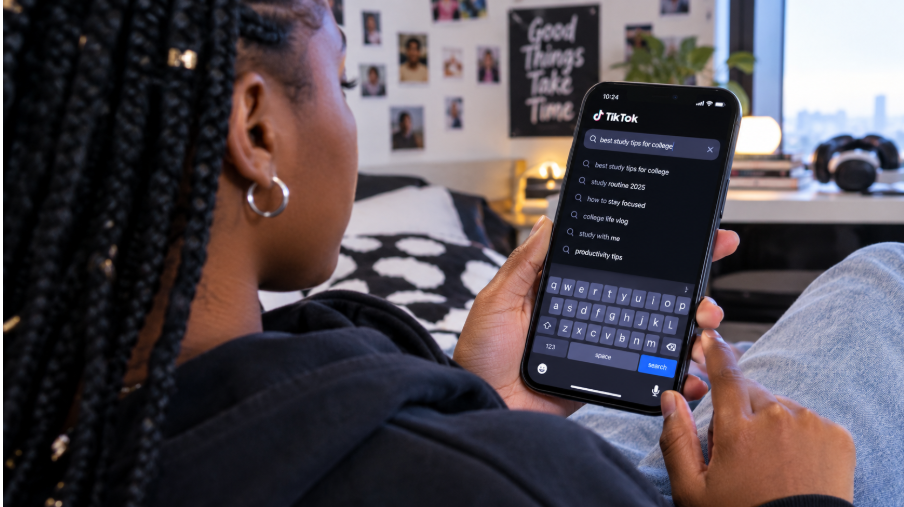
Instagram understands that the way people search for information online is changing, especially among Gen Z. According to a recent study, 46% of Gen Z users utilize the search function on social media sites, such as Instagram, to find the information they are seeking. Additionally, statistics indicate that by January 2025, Instagram ads reached 1.74 billion users, around 28.8% of all adults worldwide.
Instagram has realized that the more people see posts on the platform, even when they are not actively using it, the more exposure they receive. The shift toward Google indexing Instagram content is a significant step, as it bridges the connection between search engines and social media platforms.
This is important for brands, businesses, and creators as they can now reach a bigger audience. People searching on Google can easily discover Instagram posts and accounts, increasing engagement and followers for brands and creators. This is especially true when it's combined with the use of power words to drive social media engagement.
Additionally, other social media platforms such as TikTok, X, and Pinterest have always been indexed by Google. Therefore, Instagram aims to increase competition with these alternative social media platforms.
Why It Matters For Marketers and Businesses
Google's ability to index Instagram posts will have a significant impact on marketers and businesses as more people see their posts. If you need your brand to stand out online, you can use this opportunity to have your Instagram content seen beyond the app.
Higher Visibility
Unlike in the past, when your followers could only see your Instagram posts, it's now possible for people searching on Google to find reels, posts, and captions. This can be a significant step for businesses as it allows your brand to be seen when people search for a topic, product, or service, even when they aren't on Instagram.
Reach Audiences Not on Instagram
Before Google started indexing Instagram content, your content could be hidden from people who weren't followers of your account. However, today, it's possible to reach a bigger group, making this an opportunity to attract visitors to your profile and extend your reach beyond the Instagram platform.
Today, an Instagram account functions like a landing page or mini-website, where people can get a preview of the main website. Your posts will appear alongside articles, blogs, product pages, and news in the search results.
Greater Lifespan of Your Instagram Content
When you make an Instagram post, you will likely get the highest number of comments and likes during the first 24 to 48 hours, after which it drops out of most people's feeds, but if your posts appear on the search results, they will remain visible for weeks or months. With some great posts, you can continue to attract more visitors and views after sharing them. If you are sharing evergreen content, the update will favor you.
How to Opt Out of Google Indexing For Instagram Posts
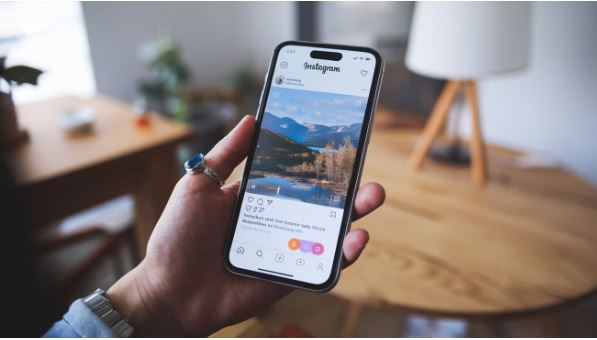
You have already seen that Google's indexing of Instagram posts will have many benefits. Therefore, we recommend allowing your posts to be indexed on Google. However, if this isn't for you, you may wonder if there is a way to opt out of Google's indexing. The answer is “Yes”. Here are ways you can do that:
Toggle Off Indexing
As noted earlier, indexing is only available for business or professional accounts. The good news is that if you don't want your posts indexed, you can turn it off. Simply visit your profile, tap on the three lines located at the far right corner, and open “Settings and Activity.” For the web version, tap the gear icon and select Settings and Privacy. After that, you will follow the same steps for both the web and mobile.
You should then scroll down until you find the option “Who can see your content” and select “Account privacy.” You will see the option to allow public videos and photos to be visible in search engine results. You can then turn it off, and your posts will no longer appear on Google from now on. If there are old posts that were already indexed, these may not disappear immediately from your search results.
Change to a Personal Account
As noted earlier, a personal account will not be indexed by Google. You can visit your profile and click the three lines located at the far right corner. If you are on the web, tap the gear icon before choosing Settings and privacy. Keep scrolling until you get to “For Professional” and select “Business tools and controls.”
You can tap on Switch account type and select Switch to personal account. If you are certain, you will be asked to confirm. Once you click Switch to personal account, you will use your personal account. You can follow the same steps for switching to professional accounts.
Make Your Account Private
If your account is private, your posts will not appear anywhere else apart from Instagram. However, if you already have a creator or business account, you will need to convert it to a personal account, as business accounts cannot be set to private. To do that, you can go to your profile and tap on the three dots in the far right corner. If you do that on the web, tap on the gear icons and choose “Settings and privacy when using the web version.”
Scroll down to the option labelled “who can see your content,” followed by Account privacy. Turn on the private account toggle. Instagram may require you to confirm that you would like to “Switch private” before proceeding.
Conclusion
Google began indexing Instagram posts in July 2025, offering a new opportunity for brands to enhance their visibility beyond Instagram. However, if you want your posts to remain private, follow the steps outlined in this guide. We recommend you read our guide on creating Instagram captions that stop the scroll.