
When it comes to social media, there are few networks as powerful as Twitter. From hashtags to influencers, Twitter gives users the opportunity to spread their thoughts and opinions with the world. However, with great power comes great responsibility. Especially when it comes to protecting your confidential information. When making your tweets secure, you have to think about more than just your followers and their privacy settings. You also have to consider the security of third-party applications that connect with your Twitter account, as well as the general safety of your account from hackers or malicious code. That’s why we’ve put together this guide on how to make sure your tweets are staying secure and confidential. We’ll look at how you can take control of your account security in a few simple steps and use Twitter’s own tools to protect yourself and others on the platform.
What Is a Private or Confidential Tweet?
Today, the entire world is tweeting. But if you want to keep certain conversations between you and a select group of followers, then you should consider making your Twitter account private or confidential. A private or confidential Twitter account makes it so that only approved followers can view your tweets, replies and profile information. So if you have tweets that contain sensitive information, like a job offer or personal thoughts, this can help protect them from being viewed by the wrong eyes.
To set up a private account, go to Settings, then Privacy and Safety. From there, toggle on "Protect my Tweets" and only those who are approved by you will be able to view them in their Twitter timeline. You'll be able to approve and deny followers as often as needed so that you maintain control over who can see what you post. Even though it's more difficult for strangers to search for your profile and view your tweets, it's not impossible—so keep confidential posts for very sensitive or personal matters. That way, you can maintain some level of privacy on social media while still staying connected with those who matter most.
The Twitter Privacy Policy
Do you really know what happens when you post something to Twitter? It pays to understand the platform’s privacy policies—and even if you don’t want to, it’s important that you do so in order to keep your account secure. The key points of the Twitter Privacy Policy include:
- You own the rights to your content. Twitter gives you permission to use their services (and their technology) and they will always respect ownership of your content.
- Twitter explains what data it collects. Its privacy policy describes what the platform collects when you use it and how it uses that data, including for ads, and you can limit some of it in your settings.
- Customizable privacy settings are available. You can customize who gets access to your Tweets and profile information, as well as opt out of certain personalization features such as tailored ads and recommendations on current events or topics about which your account is interested in.
Restrict Tweets With User Controls
When it comes to making your Twitter account secure, you can control who sees your tweets and who can reply to them. For every tweet, you can choose who is allowed to reply:
- Everyone: anyone can reply to your tweet.
- Accounts you follow: only people you follow can reply.
- Verified accounts: only verified accounts can reply.
- Only accounts you mention: only the people you tag in the tweet can reply. If you want only approved people to see your tweets at all, protect your account as described below.
With all these options available, you'll be able to find the perfect balance between engaging with your audience while still keeping your account secure.
Keeping Your Account Secure With Two-Factor Authentication

If you really want to make sure your Twitter account is secure, you should consider setting up two-factor authentication. Two-factor authentication adds an extra layer of security to your account, making it much harder for someone to gain access without permission. To set up two-factor authentication on Twitter, here's what you need to do:
- Go to your profile settings and tap on the “Account” tab.
- Go to Settings and privacy, then Security and account access, then Security.
- Tap Two-factor authentication and choose a method.
- Follow the steps on the screen. An authentication app or a security key works for every account, while codes by text message are only available to paying subscribers.
Once two-factor authentication is enabled, every time a new device tries to log into your Twitter account, you'll need to enter a code from your authentication app (or use your security key) before access is granted. This means that even if someone has your username and password, they won't be able to log in without that second step, which adds another layer of security to your account.
Preserve Your Peace of Mind With Locked Accounts
Have you ever wanted to keep certain tweets completely confidential? Don't worry, you can! With Twitter's locked account feature, you can have complete control over who sees your tweets. A locked account is a private account, meaning your tweets, followers and people you follow are hidden from the public and only visible to people you approve. Here's what you need to know:
Who Can See Your Tweets?
With a locked account, only approved followers can view your tweets, likes and replies. This means that anyone who wants to follow you needs your approval first.
How Do You Lock Your Account?
To create a locked account on Twitter, go to Settings & Privacy > Privacy and safety > Protect your Tweets. Then turn the toggle on “Protect your Tweets” which will make your Twitter account private. Don’t forget to hit Save changes afterwards!
Who Can Follow You?
When you have a locked account, new people must send a request for approval before they can follow you. If someone sends a request for approval but isn’t active or doesn’t provide any information about themselves when attempting to follow you, then it’s easy to deny their request without feeling bad about it. Keeping your Twitter account secure doesn't have to be complicated. With a few clicks of the button and the right settings, enjoying peace of mind while tweeting is easier than ever before!
Tips on Managing Third-Party Apps
In addition to your own vigilance when it comes to managing your Twitter account, you should also be aware of third-party apps that may have access. Third-party apps are applications made by other developers that allow users to access Twitter and other services.
Research before installation
Before you install any third-party app, do your research first. Be sure to read reviews and check out the developer's online presence. You can also look at the permissions they are asking for in order to use the app.
Remove access from apps no longer used
Even if you’ve done the proper due diligence in researching an app before installing it, you should monitor what permissions the app has regularly. Make sure to remove access from any apps you no longer use. It’s a good idea to review all of your apps every few months and keep your list updated.
How to Spot Potentially Harmful Links
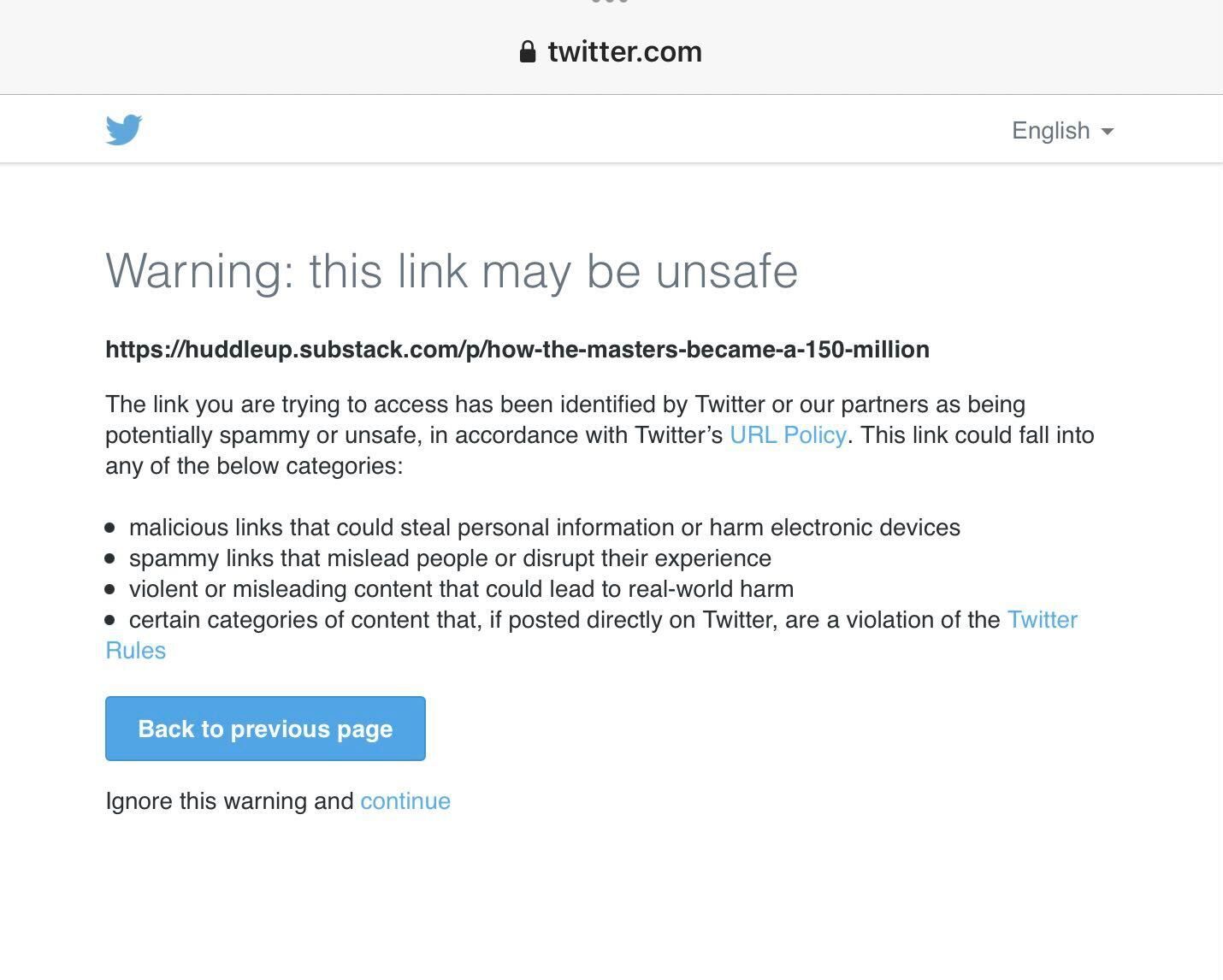
Spotting a potentially harmful tweet is easier said than done, but it's doable. Here are a few tips for spotting potentially malicious links:
- Check the link’s URL or web address for anything that looks suspicious or doesn't match the brand/company of the original tweet. It's always best to double-check before clicking any links you're unsure of.
- Be aware of redirects that launch when you click a link—these can lead to malicious websites and phishing attempts.
- Be wary of misspellings or strange symbols in the URL, as these can be signs of malicious activity.
- Beware of shortened URLs, as it's often difficult to tell where they'll take you until after you click them.
- Don't click suspicious attachments or downloads, as this is an easy way for hackers to access your personal information and plant malware on your device.
How to Stop Retweets of Sensitive Content
You’ve gone to great lengths to secure your Twitter account, but that doesn’t mean you won’t ever have to worry about sensitive content getting shared—especially if you have followers who don’t understand the importance of protecting confidential information. So what can you do? Here are some effective strategies for preventing retweets of sensitive content:
- Review all followers on your account – Unfollow any who you don’t recognize or who appear suspicious.
- Encourage followers to take extra precautions – Remind them that anything they read is not meant for sharing.
- Follow organizational security policies – If your company has policies about using social media, make sure everyone is familiar with them and abides by them.
- Implement two-factor authentication – This means anyone wanting to access the Twitter account must enter a code sent by text message or generated by an authentication app in addition to their username and password.
- Protect your tweets – tweets from protected accounts can't be retweeted, so this is the most reliable way to keep them in your circle.
The Value of Private Accounts and DM's
Another way you can make your Twitter account secure is by taking advantage of private accounts and direct messages (DMs). Private accounts will help protect your tweets so that only approved followers can view them. By creating a private account, you can choose who is able to follow you. You can also control who can read, retweet, comment, or quote tweet your posts. All of this makes it easier for you to keep your tweets confidential.
Direct messages are not public, so they are a good place for things you don't want everyone to see. Keep in mind that normal DMs are not end-to-end encrypted, so never send passwords or very sensitive data through them.
Conclusion
Twitter is an invaluable tool when it comes to staying informed and staying connected, but it can also be a potential security issue. Learning how to make your Twitter account secure can give you peace of mind and keep your confidential information safe. When implementing two-factor authentication and using a secure password, as well as familiarizing yourself with Twitter's privacy settings, you can easily keep yourself and your followers safer. Ultimately, when it comes to using Twitter, being informed, using strong passwords and being vigilant about your digital privacy is key. With just a few simple steps, you can rest assured that your confidential tweets are secure.