Starting an online merch brand is becoming a pretty popular option. But let’s be honest, making money from it is a whole different story.
You’ve seen people give it a shot before. Someone drops a hoodie, a few shirts, and a tote bag. But what follows that? Usually, nothing! A few friends buy out of support, but that’s all there is to it.
And it’s not because the merch is bad. Most of the time it’s good. But good designs aren’t going to get you far, especially when you’re entering a market with millions of other brands doing the same thing.
That’s why your Instagram Shops management is very important.
Instead of getting people to click on the link in the bio or hoping that they find your website, you can meet them right where they are: The Instagram app.
Everybody’s always on their phones, so if you can bring the shop to them, it’s bound to work.
But it all depends on you setting it up right. This ensures that your merch doesn’t just sit at a digital shop somewhere.
As you read on, we’ll walk you through how you can go about doing that. Instagram shops is a powerful tool, but only if you know how to use it properly.
Let’s get to it!
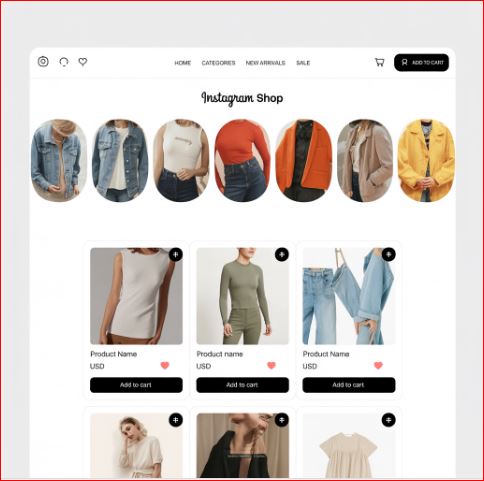
Why Instagram Shops is Important For Your Merch
The old way of selling merch isn’t going to work today.
Earlier, people used to just post pictures of their merch and say follow the link in the bio. But nowadays, few people are willing to put in that effort of leaving the app to check your products.
Too many steps means very little people follow through.
But Instagram’s figured that out.
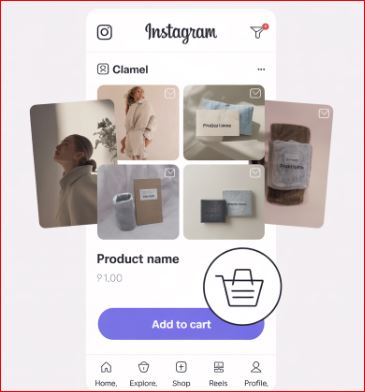
Instagram Shops shortens that path. People can tap a tagged product, see the price and details, and go straight to the product page on your website. Since 2025, the checkout itself always happens on your own site, because Meta ended in-app checkout for Shops on Instagram and Facebook.
It takes your merch and puts it directly in front of your audience, right amongst the content they’re already interacting with.
What Makes it so Useful?
- Shoppable Posts: You can tag your products the same way you tag people
- Story Products Posts: People can find your products from your stories
- Reels: Your merch can be live inside short form videos where everyone’s attention already is
- Shop on your profile: A "View shop" button that shows your whole collection
The best part is that it’s not for big brands only. Instagram Shops is much more useful for smaller brands. You don’t need a big team or a big budget to get started on this!
Why Instagram Shops is Perfect For Merch
Merch is all about showing what you have to offer visually. It lives in aesthetics, the vibe it gives off, and the identity it can bring out. So a platform that’s made for images and stories? It all adds up perfectly.
Essentially, Instagram Shops reduce the friction in online shopping, and when buying becomes easier, more people do it.
What You’ll Need Before You Launch
Instagram Shops is powerful, but it requires a lot of backend effort. Without that, it won’t matter how good your shop front looks.
Before you get into setting up your shop, you’ll need the basics to be locked down. It’ll be boring and technical, but it’s important!
Get Your Merch in Order
This sounds like an obvious statement but it’s a big issue. You need to ensure that your merch is ready to sell. Not in the works, or being designed. But ready to sell immediately. You'll also need a website or online store where people can check out, since that's where Instagram sends them to pay.
It’s not about being perfect—it’s about making sure someone can buy it today and get it.
Keep Your Collection Small
When starting off, you don’t need to come over the top with tens of products to sell. Too many options at the start can hurt you.
It’s better to start with:
- 3-5 solid pieces
- 2-3 standout designs
- A clear vibe that ties everything together
It’s better for your clothes to show off your brand. If it all feels random, people may look elsewhere.
Make Your Profile Look Like A Shop
The account you use cannot be your personal one. Not unless you’re some big celebrity.
Your profile should already feel like it belongs to a brand. For that, you’ll need to fix your:
- Bio: Say what your brand is, maybe include a CTA.
- Link in Bio: Add the link to your website or wherever you sell your products. Don’t make it look too packed.
- Story Highlights: Add sections like “Shop”, “Reviews”, to help people find what they’re looking for.
- Feed Aesthetic: Be consistent and on-brand. Don’t stray away from what your brand is supposed to look like.
It’s easier when you imagine your profile to be the digital version of your actual shop. What do you want people to immediately see and feel?
Getting these foundations in place may take a while, but you can’t go around skipping them if you want to create a meaningful presence.
Setting Up Your Instagram Shop
With all the basics done, let’s talk setup.
Setting up an Instagram Shop isn’t hard, but there is a process to follow. Skipping steps can mess up what your shop looks like so remember to be thorough.
Step 1 – Switch to a Business or Creator Account
Once again, don’t start using your personal account. Just head on to your settings and get access to all the important things you’ll need like: analytics, product tagging, and shopping tools.
- Go to Settings
- Head to Account Section
- Switch to Professional Account
- Pick Business or Creator (Business gives more e-commerce features).
Step 2 – Set Up Your Meta Business Manager Account
Like Instagram, Instagram Shops is also powered by Meta. So, you’ll need a Meta business portfolio, managed through Meta Business Suite and Commerce Manager, to control the product catalogue and bring it all together.
- Go to business.facebook.com
- Create or Claim Your Business
- Add Your Instagram Account and Facebook Account (You’ll need a Facebook account even if you don’t use it).
Step 3 – Creating and Connecting Your Product Catalogue
This counts as your online inventory, the place where all your products exist.
You can either:
- Use Print on Demand Platforms: Most print-on-demand services, like Printify or Printful, connect through a store platform such as Shopify, which then syncs your products with Meta.
- Connect Shopify: Shopify is super easy to sync your Instagram Shop with.
- Manually Create a Catalogue: Use Meta Commerce Manager. It’ll take more work but you can set up your catalogue the way you want it.
Step 4 – Submit For Review
Once everything’s done, your account has to be reviewed.
Instagram will check your catalogue and profile to make sure it follows their policies. It’ll take a few days, but sometimes even longer.
Remember to use your actual products as using dummy products can get your account rejected.
Step 5 – Start Product Tagging
Once the account is approved, you can start tagging your merch.
This includes tagging your merch in every post, story, or reel. Doing this ensures that your catalogue is a part of your content.
Strategies That Can Drive Sales
By now, your shop should be live, products tagged, and profile looking like a brand. So, we’ll move on to selling your merch.
It’s all about hitting the sweet spot. Show your merch in action, build your vibe, and add some fancy promotions. Let’s see:
Don’t Just Sell
People aren’t going to buy your merch if it’s just shown with a white background. Show how the clothes look on models. It’s all about the vibes that your merch gives off.
You can try:
- Wearing your merch and showing them off in reels
- Posting lifestyle shots to show what the merch looks like
- Taking BTS shots. Show how the design came to be or yourself packing up an order.
Use Reels to Push Sales
Instagram Reels have never been more popular. So if you’re looking for visibility, this is the place to be.
Some popular ways to show off your merch include:
- Using trending audio sounds
- Time lapses showing your design process. Make it look and feel real.
- Subtly show off your merch by hopping on trends that don’t focus on what you sell.
- Show people’s reviews. Many customers post themselves wearing brand merch, so ask if you can repost them and give them credit.
Tag Everything
Always remember to tag your products even if your post isn’t directly about the merch. You never know when someone might see your hoodie in a story about something unrelated and still want to buy it.
Let your shop go live naturally through your content. Don’t make it only seem like a perfect sales pitch.
The whole idea behind content for an Instagram Shop is how you can turn your merch from some product to something people want to be a part of. It means to build hype and that feeling of people wanting your products.
Building Community Around Your Merch Brand
Don’t treat your audience like customers. Treat them like they’re part of the process.
Brands that include their customers have better chances of retaining those customers and bringing in new ones. If people feel like they’re actively supporting your brand, it’s easier to get them to purchase some merch, too.
Always remember to highlight your buyers. Like we said earlier, people do post themselves showing off brand merch, so it’s your job to show that happening. This also shows that people are buying your merch.
Let Your Brand Mean Something
Oftentimes, people don’t wear merch for style. They wear it because it says something about who they are.
So, what does your merch stand for? Is it about creativity? Culture? Rebellion?
The stronger the identity behind your merch, the easier it is to get customers to align with it. They’re not just buying a hoodie, they’re getting to be a part of something important.
Final Thoughts
At the end of the day, growing a profitable merch line through Instagram Shops isn’t about hacking the algorithm or going viral. It’s about building something real.
Instagram gives you the tools, and it’s how you use them which matters the most.
You can’t just upload a few merch products and hope for the best. You’ve got to treat your merch like a brand. Make that connection with your customers and show them how it’ll look when they start wearing it.
With Instagram Shops, you don’t need to be an expert. You don’t need everything that a big business has. You just need a plan, some consistency, and a merch line you’re willing to work hard for.