
Business owners are always trying to find a perfect-fit platform. Advertising your business' services or products could be a tedious and stressful task in everyday life. In 2023, we have many social networks or platforms to focus on, and when you begin with online advertising, it's hard to focus on only one platform.
Facebook is currently the biggest social network. To be more specific, Facebook bought Instagram a few years ago, and now it's owned by Mark's team. If we combine these two biggest social networks, we get a monster platform with great opportunities and benefits for almost every type of "dream customer."
What's Unique About the Facebook Ad platform?
As we have mentioned above, it's hard to focus on only one platform. We can see new opportunities popping up every month and year, so which platform do we choose?
Let's focus on two prominent advertising platforms—Google and Facebook. First of all, none of these platforms' main goal is advertising. Facebook is a social network trying to bring people closer since 2004, while Google's primary goal is to deliver the best results when searching for specific keywords.
Creating an advertising system on each platform is inevitable because of the crazy statistics and data. Let's take Facebook as an example. As of September 2023, Facebook had 3.049 billion monthly active users (MAU). If we dive further into details, about 2.085 billion of them logged in every day to engage with content shared by friends or favorite pages.
As you can see, Facebook has become a monster platform having the attention of more than 2 billion users per month. It was almost impossible to achieve these kinds of statistics, but today, it's a reality and every business should adapt to Facebook advertising.
Why Select the Facebook Ad Platform over Google?
Facebook Advertising or Google Adwords? On a serious note, we see that many advertisers feel lost when it comes to Facebook or Google, and don't know how to choose between these platforms? Maybe our approach will open your eyes to see things differently.
Google has its own advertising platform called Google Ads (it was called AdWords until 2018). If you want to advertise on YouTube and Google, then it's better to go for Google Ads. Don't forget one thing: you can also show ads on websites that use Google AdSense.
At the same time, Facebook gives you access to its Facebook and Instagram audience. On Google, you can advertise your videos only on YouTube, but on Facebook, you can display your video ads through Facebook and Instagram.
Thus, when it comes to adaptation and freedom, Facebook is a better option. Every marketer feels better on Facebook because of these options: freedom, transparency, better Ads options, etc.
Cost of Facebook Advertising
Let's be very clear, you should be careful when it comes to Facebook advertising. First of all, the Facebook Ad platform can be a money-making machine for you. Ganing access to 3.049 billion users is a crazy dream, but it's possible. Despite flashing lights, you should not forget the advanced system of the platform. It's not an easy job to create, edit, and optimize Facebook ads for maximum potential. It's a hard and tedious job that may take hours, days, weeks, or even months to find a money-making Ad set.
Before we head to budgeting tips, we should cover one more thing. When it comes to Facebook Advertising, you should be very clear about goals. What's your goal? If you don't know the exact intention, then you should not start a Facebook Ad campaign. The target could be different—brand awareness, closing high ticket clients, etc. When you get clear with your Facebook goal, then budgeting becomes more effortless.
Latest studies show that the average CPC (Cost per Click) is between $0.26-$0.30. If we focus only on the US audience, then the average CPC of the US market is $0.94. Keep in mind that the cost of advertising could change because Facebook is a growing machine. The price of adverts keep increasing with the massive growth of the Facebook audience since 2018.
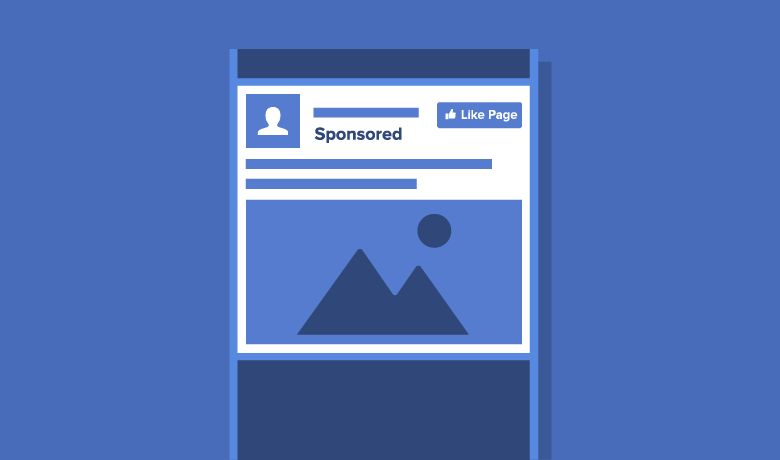
AD Types on Facebook
Before you choose an ad type, create a fascinating story behind your brand product or service. When you have a story to tell, it gets easier to select a suitable ad type for the campaign.
Image Ads
The first ad type on Facebook is the “image” set, which is a great way to promote your product or service. Facebook representatives advise everyone to use beautiful and eye-catching images for ads. When users look through their news feed, your Facebook Ad Photo should be catching their attention. That’s why beautiful images work properly.
Image ad is also suitable for anyone who wants to create an ad set fast. It takes up to five minutes to fully optimize an image Ad on Facebook.
Video Ads
Videos work better than images. It’s not a rocket-science we have found, as videos get more exposure. That’s why business owners should tell their stories through videos.
The sound and motion of video can elicit a lot of emotions from Facebook users. Yes, the image could be perfect, but the music and movement will have a different effect on the user’s emotions. In the end, it’s about the emotions we elicit with our Ads.
Ads in “Stories”
Stories is another perfect addition to the Facebook family. Most regular users don’t add images or videos separately in their Photo albums; they have the “stories” option. The "stories” feature gives users a chance to show their daily lifestyle. But what’s so special with “Stories”? Well, it’s on display for only 24 hours, so friends have a feeling of “urgency” to watch it while it’s up on Facebook.
That’s the best idea for advertisers. People who are watching stories can see your business “story” and engage with your video or image. You can also add both videos and images to your “story” Ad.
Ads in Messenger
It’s a new level of advertising. Now, you can advertise your product or service through Messenger, which is a Facebook App. Almost every active Facebook member uses the Messenger app. With this feature, you can advertise on Messenger, and send automatic messages to potential customers.


