
YouTube has said that more than 500 hours of video are uploaded to the platform every minute. That means growing a YouTube channel can be challenging due to intense competition.
If you are not seeing the desired results with your YouTube channel, you need to take drastic steps, such as conducting a YouTube channel audit. You should also ensure that you understand how to leverage your audience data to grow your channel. In this article, we guide you on how to do that.
What is YouTube Audience Insights?
YouTube audience insights is a feature that provides YouTube channel owners with deep insights into the people watching their videos, such as:
- When viewers are mostly online. This can be an important data point for planning your livestream, especially around peak times when they are online, to ensure maximum visibility.
- Subscriber alerts. Highlights the number of subscribers who have hit the bell notifications to be alerted when you upload new content.
- Subscriber watch time. This is a useful metric that shows watch time for subscribers versus non-subscribers.
- Age, gender, and geography. You can customize content based on user demographics to increase engagement.
- Audience content type. This illustrates the types of content your audience is watching, giving you ideas for new content.
- Popular channels. This metric shows you which channels are popular with your target audience, providing potential collaboration ideas.
- Content formats. Illustrate whether your audience prefers shorts or videos.
This data can be important for developing an outstanding YouTube content strategy. This is because you can tailor your content to your audience’s needs. For instance, once you identify the channels your audience watches, you can reach out to explore a collaboration.
Key Subscriber Insights to Track
When studying the audience insights, you should pay attention to:
- The number of your viewers who are returning.
- Your audience who are watching for the first time.
- When your audience is more active on YouTube.
- The location of your audience.
- Age and gender of the audience.
- Other channels your audience watches on YouTube.
Why Leverage YouTube Audience Insights
YouTube audience insights can provide important data on who your viewers are and what keeps them coming back. By leveraging the resource, you can create relevant, personalized content that resonates with your target audience. You can do that in different ways, such as:
Better Content Planning
The more you understand your content, the better you can plan it and your overall strategy. YouTube audience insights can show you where your audience is most active, the types of content they use, and their demographics. These details can help you tailor your content to better align with their preferences, resulting in higher subscriber growth and video views.
For instance, you might find that your audience is more active on weekdays between 8 p.m. and 10 p.m. You can then schedule your videos to go live at that time. If your viewer data indicates that your audience is more interested in product reviews, you can create more of this type of content to attract more viewers.
Enhance Viewer Retention
Viewer retention is the percentage of your videos that viewers watch to the end. When you have higher viewer retention, YouTube interprets this as a signal that you are creating valuable content, increasing the likelihood that your videos will be promoted by the algorithm. The audience insights data can provide insights into the:
- The audience drop-off points. YouTube audience insights can help you identify where your audience is dropping off from your videos. You can then use the data to identify areas for improvement.
- Understand the key segments. When you find a section with high audience retention, you can consider adding a similar segment to your future videos.
- Demographic. You can use audience insights to ensure your content’s language and tone align with viewers’ geographic location and age.
Get Competitor Insights
You also need to pay attention to what your competitors are doing if you want to stay ahead. Under the Audience Insights report, check the Popular channels. You can pay attention to:
- The type of content they create, formats, and topics.
- Engagement rate to understand what is working for your audience.
- Audience timing and posting frequency.
By studying your competitor data, you can adjust your strategy to gain a competitive edge.
How to View Audience Insights
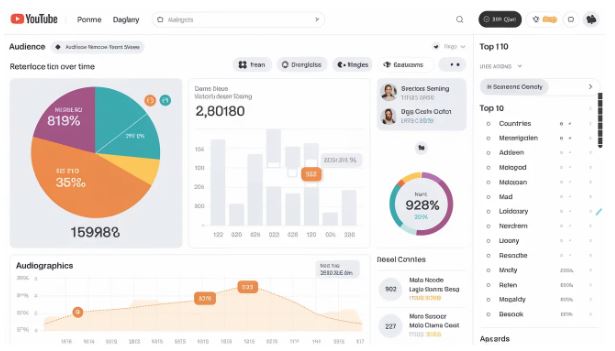
You can access the audience data in YouTube Studio with these simple steps:
- Log in to YouTube Studio. Make sure you are using the account already associated with the channel you will be analyzing.
- Go to Audience insights. After logging in, you can visit the Analytics tab located on the left bar. Under Audience, you will see the insights.
- Customize insights. The customization option can provide you with the relevant channel data. You can filter the data using viewer range, time range, and other demographic criteria.
- Data analysis. You will have the option to export the data for further analysis, share insights with your team, and create reports. To do that, select Export Current view, then choose your preferred file format.
In Conclusion
Analyzing your audience data will help you identify the content that resonates with them. It can also provide insights into when your audience is online, helping you determine the best time to position your content. This is important because the engagement you receive immediately after uploading new content determines whether the YouTube algorithm shows it. By following the steps outlined in this guide, you can leverage audience data to take your channel to the next level. You can read our guide to help you decide whether to focus on YouTube long-form videos or Shorts.