LinkedIn has emerged as a top platform for B2B marketing, and B2B marketers regularly rank it as one of the most effective platforms for reaching business buyers. If you want to reach decision-makers and industry thought leaders, a strong LinkedIn marketing strategy will help you do so.
However, with the organic reach on LinkedIn decreasing, consider using LinkedIn ads for lead generation. In this article, we will guide you through the process.
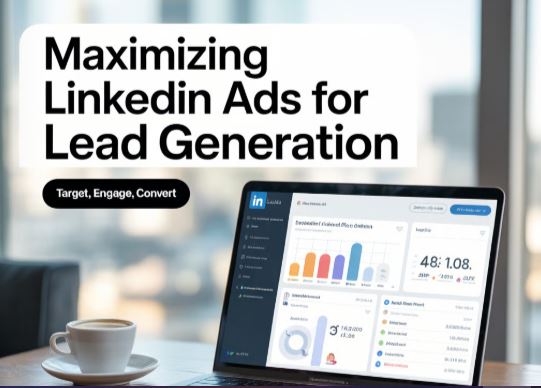
Why Use LinkedIn Ads For Lead Generation?
If you are a creator, you may be wondering if LinkedIn ads are worth it. Here are some great reasons to consider these ads:
Perfect for Generating High-Quality Leads
With LinkedIn ads, you can get high-quality leads for your business, enhancing your long-term social media strategy. This is because LinkedIn enables you to target individuals based on their age, gender, and occupation. The leads you get from LinkedIn also provide essential details. For instance, when targeting Twitter or Facebook, people may fail to use real names. But since LinkedIn focuses on professional networking, users provide real details, resulting in more authentic leads.
Better Ad Customization Options
LinkedIn enables better ad customization, allowing you to create a lead submission form tailored to your current business. The professional data enables precise B2B targeting, enabling you to reach professionals based on metrics such as company name, industry, and job title. This enables brands to better connect with key decision-makers and advertisers.
Easier Lead Generation Forms
It's easy to fill out LinkedIn lead-generation forms, as users can complete them directly in the app. Users can easily click an ad, fill out the form, and continue browsing. This also makes it easier for businesses to complete the form.
Steps in Creating a LinkedIn Lead Generation Ad
Here are the steps to set up lead generation ads:
- Visit the Campaign Manager panel on LinkedIn.
- From the left-hand side, choose Create Campaign.
- Under the ad type, choose Sponsored Content.
- Choose Lead generation as your objective, so you can collect leads with LinkedIn Lead Gen Forms.
- Select the ad form as video, carousel, link, or image.
- Upload the ad.
- Select a CTA such as Register, Subscribe, Download, or Sign Up.
- Use filters such as location, position, or industry.
- Select your target audience’s niche to improve ad targeting.
- Set a daily or total budget and choose your bidding strategy.
- Launch the ad.
Best Practices on LinkedIn Ads Optimization
For the best results with your LinkedIn ads, use the following tips.
Have a Valuable Offer
Unless you have a product that adds value to your target audience, your lead generation ads will not be effective. That is why you want them to click on an ad. Start by determining what truly matters to your audience and what they genuinely want to see. Is the audience looking for an ebook from your brand, or do they want to sign up for your newsletter?
After determining your audience’s needs, consider how to make the offer more appealing. Consider the information that will capture your audience’s attention and prompt them to click the ad. With a more attractive offer, you can attract more leads using the lead generation form.
Don’t Overload Your Lead Generation Form
A common mistake brands make when creating a lead-generation form is making it too long. Even if your audience’s offer is excellent, when they find that they will be required to provide too much information, they will be discouraged from filling out the form. Ensure that you provide your target audience with a simple form to fill out, but with ample information to help you build your customer’s profile.
You can experiment and test different ads to see which ones generate the highest responses. You will realize that fewer fields in your lead generation forms will result in more replies, although this also depends on your campaign goals and target audience. Ultimately, the most important thing is to strike the right balance in the lead generation form.
Enhance the Lead Generation Form to Add Value
When someone clicks on an ad and visits the form page, you need to provide value in whatever you are offering. You can do that by adding a title and a snapshot of what you are advertising, whether an ebook or an event. Consider it your last chance to sell to your audience and encourage them to act. Ensure that the form remains concise and that you provide the necessary details to convert your audience effectively.
CRM Integration
If you are already using a CRM (customer relationship management) program, consider whether you can add it to your advertising campaign on LinkedIn. This ensures that you don’t have to export your leads manually. You can then immediately transfer leads to the CRM for better management.
Provide Different Ways of Accessing Information
Regardless of the product you are offering, whether an event registration or an e-book download, it should be easy to access the necessary information about the offer after signing up. Some users may have the time to take immediate action, while others may not. This is why you need different ways of accessing information.
For instance, if you are downloading an e-book, you can allow your leads to download it from the ad and receive the e-book in their email, or obtain a text code that provides them with an option for later download. If the ad is urging people to sign up, you can include the sign-up option in the ad. You can then send them a follow-up email with an invite and other necessary details.
If your audience has different ways of accessing their offer, you will leave the leads with a positive impression. They will positively associate your brand with your company and may even become your business’s clients in the future.
Monitor the Performance of the Ad
For optimal LinkedIn ad results, it is essential to monitor the ad's performance continually. This will enable you to change for better results. When doing ad monitoring, you can pay attention to details such as:
- The number of leads you get.
- The people who click on the ad are compared to those who complete the form.
Throughout the continuous monitoring of the ad, you can track where it is delivering the right results. For instance, it is bringing a lot of impressions with a few clicks. This could be a sign that the ad isn't reaching the right target audience, or you are targeting the wrong audience.
When you notice that people click the ad but don't submit their information, it may be a sign that the lead generation form needs to be revised to require less information. When you monitor the lead generation LinkedIn ads, you can get better results and get more valuable business leads.
In Conclusion
One of the most effective LinkedIn strategies is running ads. LinkedIn lets you target your ads to your desired audience, helping you achieve better results. If you are wondering how to get the best results with LinkedIn marketing, our detailed guide will help you get started. You can also read our guide on using storytelling to gain the audience’s trust.