

If you are a social media manager or content creator, you understand how much time creating and managing social media posts across different platforms can be. This is why it is essential to schedule posts ahead of time. However, with X being a fast-paced platform that often relies on a regularly updated news feed, it can be hard to schedule posts to go live at the best posting time. In this article, we will guide you on how to schedule posts on X.
Why Schedule Posts on X?
Scheduling X posts can help you plan what to post instead of rushing at the final hour to decide. Since you will not post in a hurry, you will avoid mistakes. You will also have the time to prepare the right videos, photos, and audio content that will perform best. With batch scheduling, you can save time, allowing you to focus on other tasks, such as engaging with your X followers.
Scheduling your X posts can also help you reach more people because you will post at the optimal time when most people are online. This ensures higher engagement for your X posts.
Post scheduling is also key to maintaining a consistent posting schedule to reduce the anxiety and stress of keeping up with the posting schedule. You are also assured of a steady flow of content, whether on holiday or not.
How to Schedule X Post on a Desktop
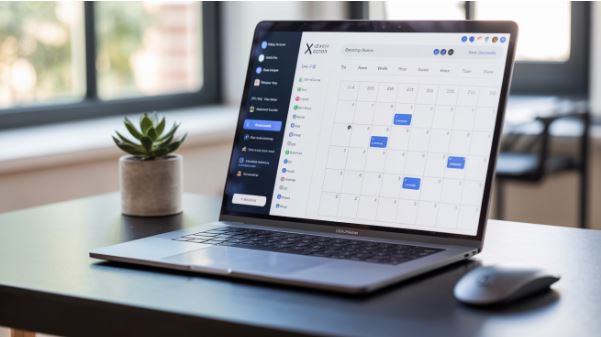
A good idea is to schedule posts on your desktop rather than the X app. One benefit of the desktop platform is that it makes it easier to create and review posts before you can schedule them. To schedule using the X built-in feature, visit the X website and tap on the post feature.
You will be taken to the message composer. You can then type the message as usual before adding videos, images, GIFs, polls, and any other content you want to publish. After the post is ready for publishing, tap on the calendar icon located at the bottom. You will see the option to schedule the post and choose the date and time you want the post to go live. You can schedule the post for a maximum of 18 months from the posting date.
Once you have set the posting time, you should click on confirm and then the main content of the scheduled post to confirm the time the tweet will go live. The platform lets you view or edit a scheduled post before clicking on Post. To do that, tap on the icon labelled scheduled post.
How to Schedule a Post on a Mobile Device
Scheduling your X posts on mobile is more complicated than doing so on a desktop, as the X app does not have a tool to enable that. If you are a regular user, you can schedule posts to X using your mobile browser. However, pro users can schedule posts on the X app. If you are a pro member, you can do that by downloading the Android or iOS app and logging in like you do. But if you aren't a pro member, you must start by subscribing.
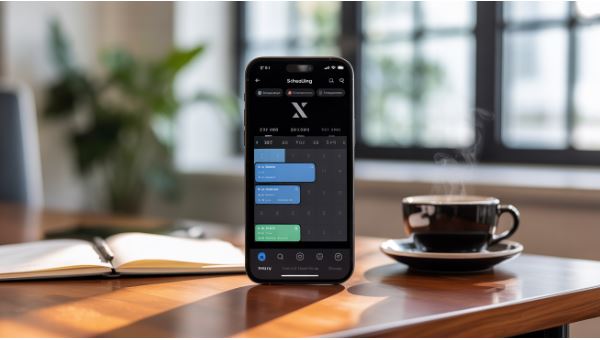
Next, tap the plus icon at the bottom of your screen and add the post as usual, whether it's an image, video, or text. Check for the calendar icon located below the draft, then tap on it to open the scheduling option. This will open the calendar, allowing you to select the time and date you would like the post to go live. This looks similar to the desktop version.
Once you have selected the time and date you would like the post to go live, click on Confirm to schedule the post. While scheduling your posts on mobile will enable you to have a consistent posting schedule on the X profile, you should be aware that posting on mobile will likely result in more errors than posting on a desktop. Therefore, take the time to triple-check your content.
Scheduling Posts on X Using Third-Party Tools
Another option for scheduling posts on X is by using third-party tools. The post scheduling feature occurs in most third-party social media management tools, allowing you to oversee your brand's activity on X and providing you with a 360-degree angle of your social media presence.
Best Practice in Scheduling Content on X
Unlike what many social media managers, marketers, and content creators think, scheduling content isn't only about creating a list of posts with their publication dates. For the best results, there are some best practices you need to be aware of. These include:
- Choosing the right posting time. Before you plan what content to post on what date, you must also understand the right posting time. If you are an X Pro user, you can see this data. Ensure that you schedule posts to go live at their peak time, as this will ensure that more eyes see the content.
- Mix things up. Avoid posting only promotional content and instead mix things up, as this will help increase engagement.
- Stay consistent. Ensure that you have a regular posting schedule for a steady presence. This is key to increasing your followers' trust. You can read our guide on why consistency is key on Instagram.
- Use a content calendar. This is an excellent tool for organizing and scheduling your social media content.
- Stay abreast of trends. While scheduling posts is essential, you also need to plan for current or trending events, mainly because these are big on X.
- Create room for fresh content. Even after scheduling content for as long as 18 months, you can always change the schedule to accommodate trending industry news or content.
- Review and update. If there is a change to your brand strategy, for instance, in the hashtag used, ensure that you update any scheduled content that is yet to be published.
- Consider different time zones. Brands with global audiences need to plan their content scheduling to meet people in other regions according to their optimal times.
Common Mistakes to Avoid When Scheduling Content on X
While you can have the best content schedule on X, mistakes will arise at times, especially if you are a social media manager managing different accounts. Here are some of the common mistakes and how to avoid them:
- Not scheduling at the best time. As noted earlier, a great posting schedule should start by understanding when your audience is mostly online. If you don't schedule your posts to appear when they are most likely to be seen, you might waste thousands of dollars in your marketing budget.
- Overposting. With the ever-trending content on X, you might be tempted to keep posting. However, when you overdo it, your audience will start to notice a drop in the value they get from your content. Therefore, focus on creating quality posts rather than quantity. Space your tweets so that your presence is felt but doesn't overwhelm your audience.
- Not considering the different time zones. If your audience is global, you need to be aware of when they are asleep and are less likely to engage with your content. You can overcome this challenge by having multiple platforms for different geographies.
- Not posting timely information. You need to cross-check your scheduled posts to ensure they are timely. You can then make changes where necessary. Otherwise, you may post about events that have already passed.
- Not checking the analytics. You will need to look at your analytics to determine which of your scheduled posts performed well and then use the data to refine the strategy and increase engagement.
Final Thoughts
Scheduling your posts on X can help you keep your brand top of mind for your audience. It can also ensure that you stay organized and have the right content mix. If you are wondering where to get started with content scheduling, our detailed guide will help you.


