
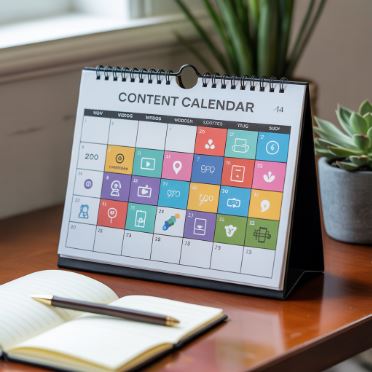
Creating content across platforms sounds like an easy task, but that’s until you’re actually doing it. All of a sudden, you’ll be juggling Instagram posts, YouTube videos, and X posts. That’s when it’s easy to start becoming confused.
Without clear systems, many content creators start posting only to stay visible, and you will end up scrambling to keep up. That will lead to your content losing its purpose.
And the result? You’ll be burnt out! You’ll notice low engagement, and you will have a calendar that’s full but not effective.
A well-planned content calendar changes that. It’s not just about being organized; it’s about building a system that helps you show up consistently and convert. Whether you aim to grow your audience or drive sales, the right calendar can make content feel strategic and not stressful.
As you read on, we’ll break down exactly how to plan a cross-platform content calendar that does more than just fill space. It’ll help you turn your content into conversions across any platform that you choose.
Let’s start!
What is a Cross-Platform Content Calendar?
A cross-platform content calendar isn’t just a copy-and-paste machine. It’s not about taking one post and duplicating it across five platforms. That might save your time, but it wastes your opportunities. Different platforms serve different purposes, and your calendar should reflect that.
A true cross-platform calendar is built with this variation in mind. It treats each channel as part of a larger system. That means planning content that plays into each platform’s strengths, but not missing out on the main messages.
Imagine you’re launching a new product. On Instagram, you might show this by posting BTS content or visuals. On LinkedIn, the same content isn’t going to work. LinkedIn is more about sharing the story behind the launch. Then, there’s TikTok, where reels are fast-paced.
All these platforms work well with different content types, but they lead to the same outcome. This approach avoids content silos as you’re not creating five separate strategies. You’re only creating one narrative that’s delivered through multiple formats.
A well-prepared cross-platform calendar isn’t just for wider reach. It’s about creating alignment across your profiles. You’re designing your content to match each audience’s needs, no matter which app they’re on.
Starting With An End Goal
Before you fill in a single slot on your calendar, you need clarity about your primary conversion goal. Is your goal driving sales or building an active community? Knowing what your calendar is being made for helps give it shape and meaning.
When your calendar starts with the outcome, it’s easy to get to posting. This way, you aren’t guessing what you should post next. Instead, you already have an idea about where you want to lead your audience. This doesn’t mean every post is a hard sell. It means every post has a purpose.
A post might be focused on building trust or entertaining the viewers. At the same time, your other posts may be focused on getting more purchases or followers. All of it comes back to the same objective.
Defining your goals also helps track whether your cross-platform calendar is effective or not. This lets you keep an eye on whether what you planned is happening or if you need to make changes.
Start with the result you want. Then comes building the content that gets people there.
Know What Each Platform is Best At
You can’t plan a strong calendar if you don’t understand the tools you’re working with, and that’s what each platform is. Some platforms are built for fast reach, while others require more depth to your content. Some focus on helping you go viral, while others help you convert followers into buyers. That’s why your cross-platform calendar depends on you knowing what each platform is good for.
Instagram: The Place For Visuals and Polished Content
Instagram is a place for visuals that stop viewers from scrolling. It doesn’t matter if it’s product shots or aesthetic storytelling. The app is made to help you stay on brand, and it needs your content to gather attention immediately.
TikTok: The Place For Speed and Relatability
TikTok is designed to favor fast content where energy is high. Here, you’ll see that the content is always short and casual, and this kind of content can’t be used on other platforms like LinkedIn.
But this doesn’t mean low effort. It means low friction. TikTok prefers active creators and gathering a lot of engagement.
LinkedIn: The Place For Authority
When you want to share insights or industry ideas, LinkedIn is the place to go. Professionals come to use this app expecting value, not entertainment. Use this to position yourself as a thought leader, as someone who provides value with their posts. You can think of it as your professional proof of work.
X: The Place For Real-Time Updates
Twitter is where your ideas and thoughts live. This platform is designed for quick and raw commentary meant to build familiarity fast.
The platform is less about aesthetics. It’s more about your voice and the clarity that you can provide to your following.
Pinterest: The Place For Quiet But Visual Marketing
Pinterest is an app like no other in this list. Here, your likes don’t hold a lot of power. This platform is all about search-based and evergreen content. That’s why it supports creators who put out pins with longer shelf lives.
Not everything needs to be trending. But it does need to be searchable!
YouTube: The Place For Depth And Personality
YouTube is all about playing the long game. This platform builds strong audience relationships through videos that are designed to provide value and personality.
This app is best used for explainer content and longer storytelling videos. It prefers content that benefits from more time and attention.
Email: The Place For Conversions
Email isn’t just another platform for you to build a calendar around. It’s your direct line to the people already paying attention.
Emails consist of newsletters and soft sells because there is no algorithm to be concerned about. Here, the only battle is to get people to open and read what is sent to them.
What Will Your Content Be About?
Once you know about the platforms and your end goals, it’s time to think about the type of content your calendar will be filled with.
A content calendar shouldn’t start with platforms or trends. It should start with clear and consistent posts that reflect your brand’s voice and values. These themes act as reference points for your content ideas.
Most brands only go for 3-5 strong content ideas. That could look like:
- Educational Content
- BTS Processes
- Customer Stories
- Product Tips
- How Tos
- Thought Leadership
Making a cross-platform calendar doesn’t mean you need to chase every idea. You just need topics that can be reused to talk about your message without it becoming spammy.
Setting Realistic Posting Rhythm
Planning your cross-platform content calendar doesn’t mean posting every day on every app. That’s called speed running toward being burnt out. The goal of a content calendar isn’t the number of posts you put out, but the effectiveness it has.
Your posting rhythm is meant to keep up with your brand’s vibes and your audience’s needs. Your posting rhythm shouldn’t make it hard to keep up, nor should it make your followers’ feed look like it’s being spammed.
Apps like TikTok might reward daily posting, but posting 2-3 times a week can be just as effective. Similarly, Instagram Stories can be uploaded daily, but there’s no need to design new posts every day. This doesn’t mean you should post wherever you feel like it. A consistent calendar builds consistency across all platforms.

Designing Layers For Your Cross-Platform Content Calendar
A good content calendar is built in layers. It’s all about spending time focusing on only one thing at a time.
Trying to focus on captions, post ideas, and designing the posts all at once is impossible. It’s also a way to fast-track losing the purpose behind your calendar.
Having an Idea of the Big Picture
Start by outlining what your month is supposed to look like and what it’ll include. Will it include product launches? Will it have marketing campaigns? This layer can help design themes and promos.
This keeps you aligned with your business goals. It does that while also helping you put out posts.
Deciding the Rhythm
Once you have the focus for the month, break it down by each week. Each week may highlight specific content types that we discussed earlier. This helps you add variety to your posts without losing out on consistency.
Deciding the Day-to-Day Tasks
This is where your post details are decided. Your goal here is to build clarity. It’s to design your posts and come up with captions and visuals that don’t compromise on quality. You can use tools like Google Sheets to build this, which will help you keep track of your structure.
Repurpose Content Without Repeating Posts
A cross-platform content calendar doesn’t build new ideas from scratch. It keeps track of the main message and repurposes content around it.
One of your ideas can help design multiple posts at once. It’s all about shifting the format without losing the message.
Repurposing content isn’t copy-pasting. It’s about reframing what you’re trying to do.
This could mean turning a blog post into:
- Short Form Videos
- LinkedIn Posts
- Quote Style Graphic
- Newsletters
The point behind repurposing content isn’t to say five different things. It’s to repeat one message in five different ways. That keeps your message consistent and prevents it from being spammy.
Building Conversion Points
Content calendars are designed to persuade your followers into taking action. They are also designed to convert casual viewers into followers.
Each piece of content in your cross-platform calendar should move your audience one step closer toward the goals you decided on earlier. The platform you choose doesn’t matter, but what does matter is the intent behind your posts.
And different platforms give you different places to do this:
- Instagram: Allows you to optimize your captions, stories, and comments.
- TikTok: Let's you add visual CTAs and use bio links to gather viewers.
- YouTube: Gives you description space and room to add CTAs in your videos.
- Email: Lets you add clear graphics that direct your viewers toward clear buttons and link placements.
In attempts to build conversion points, many content creators simply drop CTAs, but just doing that isn’t guaranteed to work. It’s about getting your audience to naturally feel like they want to click on your backlinks.
Content calendars aren’t meant to force action. They’re meant to guide it.
Tracking Content Performance and Adjustments
Your content calendar is a system that learns as you go, but only if you’re paying attention. Tracking content performance weekly helps you spot what’s working and what needs to be messed with. It doesn’t have to be a complicated process. It’s meant to simply check on your engagements to see what your audience is thinking.
Saves and Shares
For every post, your saves and shares matter the most, even more than your likes. Nowadays, likes are easy to get. But the real indicator to show if your content makes a difference is if people are sharing and saving your posts.
This tells you which topics or formats feel useful or relatable. Keep track of the types of posts that get this kind of engagement, and then you can focus on making similar content.
Clicks and Traffic
Keep track of which posts drive traffic toward your websites or sales pages. Posts that bring in higher signups or clicks are necessary to help you toward your goal. Using these insights, you can focus on designing a similar structure for your other posts.
Comments and Replies
Comments help get an idea about what your audience thinks. These show whether your posts are starting conversations.
If your comments are high, it shows that people are interested in this kind of content, and this can serve as a reference for future content posts.
Watch Times and Retention
This applies to videos and long-form content. With these posts, your views don’t matter a lot. What matters is how long people stick around.
Platforms like YouTube prefer content that keeps people hooked on your videos for longer. If people click off almost immediately, this could mean that your videos aren’t great at keeping attention. Knowing this can help tighten intros or introduce your best points earlier to keep viewers interested.
Using Templates For Your Content Calendar
Calendars can be difficult to keep up with, especially if you’re building your content from scratch, but having templates can fix that. These templates help get rid of a lot of the content creation process. It already gives you an idea about what to work with, and that makes it easier for you to continue posting.
Having templates doesn’t mean having content similar to other brands. It’s about creating your go-to ideas that feel unique to your brand. Something that you can add to your TikTok intros which always sounds like you.
Templates aren’t meant to make everything look the same. They’re meant to give you repeatable starting points. In turn, this can help you get started with new content ideas.
Final Thoughts
Consistency is good, but having structure is what’s needed for successful social platform campaigns. Having a cross-platform content calendar can help with that.
A full calendar isn’t much on its own, but it can help identify your reasons for posting and how your content aligns across multiple platforms. The calendar isn’t meant to help you be everywhere. It’s meant to help you stay consistent on some social platforms so you can continue to gather new followers.
The right calendar lets you plan your ideas with focus. It also prevents you from feeling overwhelmed at any point.
The right calendar shows you that growth doesn’t come from posting a lot of content at once. It comes from posting smarter and showing up wherever your audience may be.


