To succeed with your LinkedIn B2B marketing strategy, it's essential to post consistently on the platform. Doing so can increase your visibility and trust, and position you as a thought leader in your niche because it will keep your brand top of mind with your target audience and signal to the algorithm that you are a valuable and active creator.
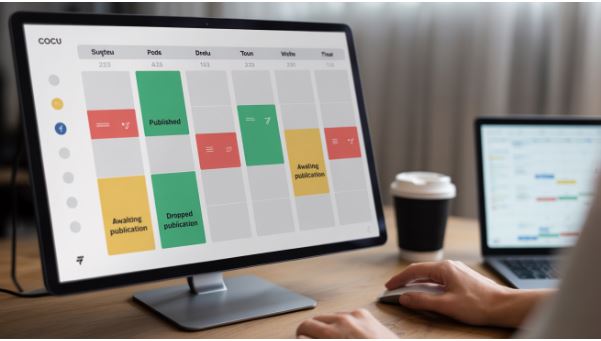
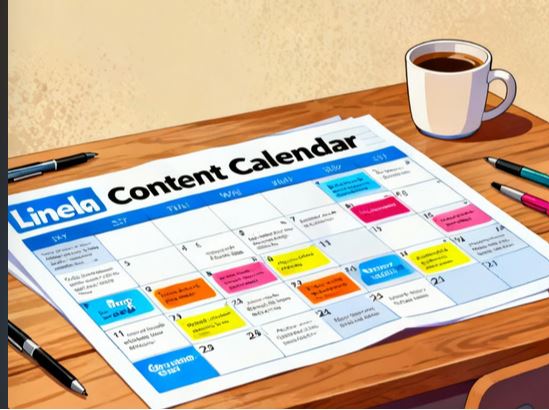
If you post without a plan, it can be challenging to remain consistent on LinkedIn or any other social media platform, which is why it is essential to have a LinkedIn content calendar. This will save you time and ensure that your target audience receives a consistent flow of content. A content calendar provides a view of the big picture and prevents content gaps. In this article, we provide you with an actionable guide to creating your LinkedIn content calendar.
Benefits of a LinkedIn Content Calendar
To avoid the hassle of scratching your head, wondering what to post, or posting inconsistently, you need a content calendar. Here are some of the main benefits of a content calendar:
- Higher engagement. A content calendar will eliminate any posting gaps and increase the visibility of your content. It will keep your brand top of mind with your audience and sustain their interest.
- Create content strategically. With a content calendar, you can plan for high-value content instead of rushing to create it at the last minute.
- Stress reduction. With a content calendar, you can remove the stress of wondering what to post next.
- Save time. Instead of brainstorming at the last minute or rushing through posts, a content calendar will help you save time.
- Align with your content goals. You can add special events to your content calendar, such as product launches, to ensure your content aligns with your broader business goals.
Steps in Creating a Social Media Content Calendar
To create your LinkedIn content calendar, follow these steps:
Determine Your Goal
Like any other SEO or social media marketing plan, you need to start by determining why you are on LinkedIn. You can have different goals on the platform, such as:
- Utilizing your extensive LinkedIn network to attract potential customers and generate inbound leads.
- Connecting with professionals through leaders, peers, and decision makers.
- Showcasing your products and services to clients and enhancing your sales pipeline.
- Increasing the trust of your target audience to build your social selling.
- Using employer branding strategies to create content and attract top talent.
The approach you use will depend on your goal. For instance, if you aim to position yourself as an authority in the field, you should create content that reflects the latest insights, trends, and value-added discussions.
Understand Your Audience’s Needs
Unless you understand what your audience needs, it can be hard to create content that resonates with them. This will also help you create a profile of your ideal customers. When trying to determine who your target audience is, you can ask yourself several questions, such as:
- The exact problem they may be facing.
- The misconceptions they may already hold.
- Any knowledge gaps they want to fill.
These questions can be a great way to start a conversation on the platform.
Brainstorm Your Content Ideas
When creating LinkedIn content, remember that it doesn't operate in isolation. No single post will compel readers to take action immediately. Instead, use LinkedIn to share insights, start meaningful conversations, and foster stronger relationships with your target audience. If you are a professional or a small business, the platform can be a great option to help you:
- Build authority. When you share your commentary and insights on industry trends, you can position yourself as an expert in the industry.
- Use it as the go-to resource. When you offer key information to solve a problem, you can stay top of mind with your target audience.
- Increase trust. Through authentic engagement and consistent posting, you can improve relationships with your target audience on the platform and beyond.
- Drive traffic. When you position yourself as a thought leader on LinkedIn, you can guide people to take specific actions, such as visiting your site, subscribing to your newsletter, and much more.
When brainstorming content ideas, it's not just about the type of content you create, but also about your brand's messaging and voice. You can use several tips for creating outstanding content, such as:
- Adding questions in the content. This can help you maintain a conversational tone that demonstrates a clear understanding of the challenges your audience faces.
- Using an empathetic tone. Rather than simply listing facts, write about the real problems your audience faces and offer practical, real-life solutions.
- Choose the right type and format of posts. You can utilize a wide range of content formats, including infographics, engaging videos, interactive polls, and more, to increase your reach and engagement.
Find a LinkedIn Performance Tracking Method
No social media strategy can be complete without tracking your performance. When creating a content calendar, you need to pay attention to:
- Number of followers. This will provide insights into the value of your content. Valuable content often leads to continuous growth in your profile.
- Engagement metrics. Comments, likes, and shares indicate whether your content is resonating with your target audience.
- Impressions. It can be a good indicator of whether LinkedIn is recommending your content to other people.
Create the Content Calendar
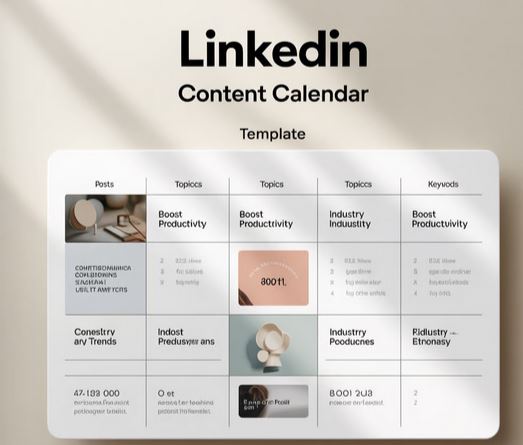
After determining all the above, you can now find a tool to help you create your LinkedIn content calendar. You can use free tools like Google Sheets and Microsoft Excel. If you want the calendar to be shared with other team members, use Google Sheets. You can have the following columns for your LinkedIn content:
Title of Your LinkedIn Post
Having a draft title can provide a structure for your post. A good idea is to keep your title short and eye-catching, particularly when using it as an opener.
Post Format
Have a column for the type of content you will be creating, such as:
- Blog posts. You can bring traffic to your site by linking to a blog post. However, remember that these content formats may not yield the best results, as LinkedIn aims to keep people on the platform for as long as possible.
- Third-party content. Create room for content from other users.
- LinkedIn video. Visually appealing content that can draw the user's attention.
- Plain text. These are the most popular types of content on the platform. They are great for storytelling.
- Post illustrations and photos. Use authentic and eye-catching images.
CTA
Ensure you plan for the action you want your audience to take. It might be something like commenting, asking a question, clicking on a site, or using the trial.
Linkedin Hashtags
These are important because they help people discover your page. However, avoid adding too many of them as they may make your page look cluttered. Ensure you plan for both primary and secondary keywords.
Supporting Media
Plan for any third-party content you may want to include in the LinkedIn post. Make sure you leverage image SEO tips to rank your images on Google.
In Conclusion
A LinkedIn content calendar can help you stay organized and ensure a steady flow of content on your LinkedIn account. It can also solve the problem of wondering what to post. If you are just getting started with LinkedIn, follow the steps above.